





Blackmagic Camera app lands on Android
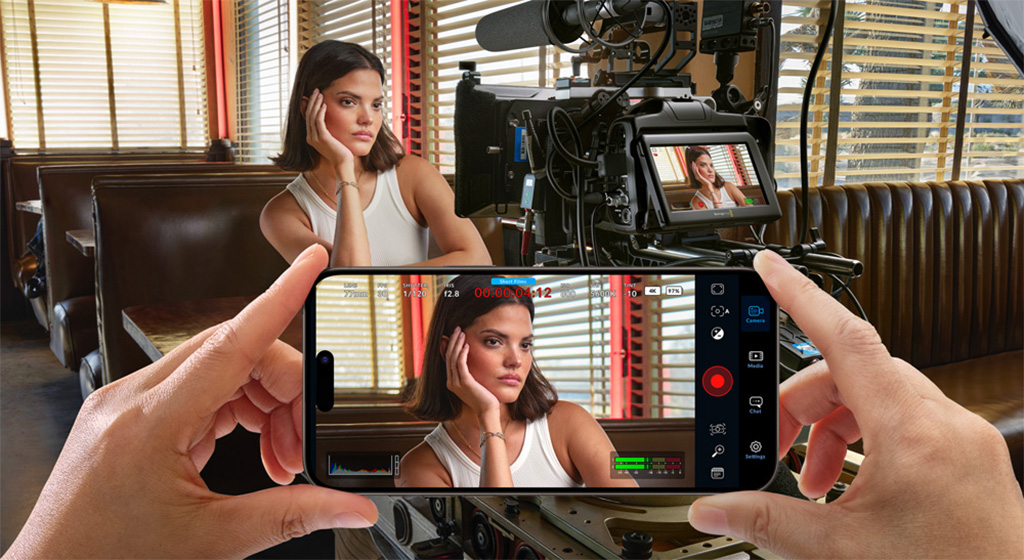
Following its successful debut in the iOS ecosystem, the ブラックマジック Camera app is coming to select Samsung and Google Pixel phones to provide cinematic controls and features for Android OS smartphone cameras.
ブラックマジックカメラ enables the potential of a phone’s built-in camera to be harnessed through an app with a variety of digital cinema camera controls. The system integrates the same interface as Blackmagic Design’s professional models, so that the user, by tapping the screen, can modify parameters such as frame rate, shutter angle, white balance and ISO sensitivity, or record 10-bit ProRes files at 4K resolution and share them via the ブラックマジッククラウド platform.
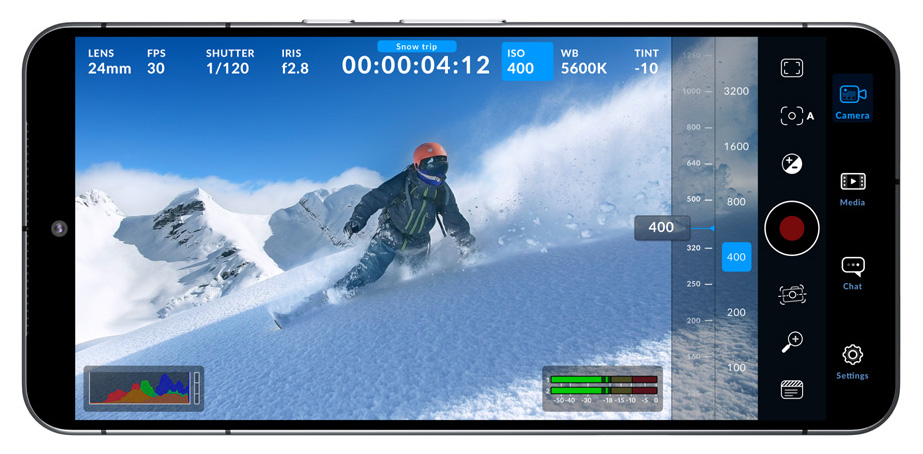 The Blackmagic Camera interface is interactive and allows you to change parameters with agility, without the need to access confusing menus. It displays drive and recording status, histogram, focus indicators, audio level, framing guides and other data overlaid on the image. To display or hide this information, simply swipe up or down on the screen. The system also allows automatic focusing by tapping the screen over the desired area, as well as shooting in vertical aspect ratios or 16:9 aspect ratio.
The Blackmagic solution’s settings tab allows you to get the most out of your phone’s camera and quickly access advanced settings for recording, audio, monitoring and more. In this sense, the recording options provide full control over the resolution and facilitate the processing of files in H.264 and H.265 format, which occupy less storage space. Blackmagic Camera also includes professional monitoring tools, such as the Zebra function.
Cloud and DaVinci integration
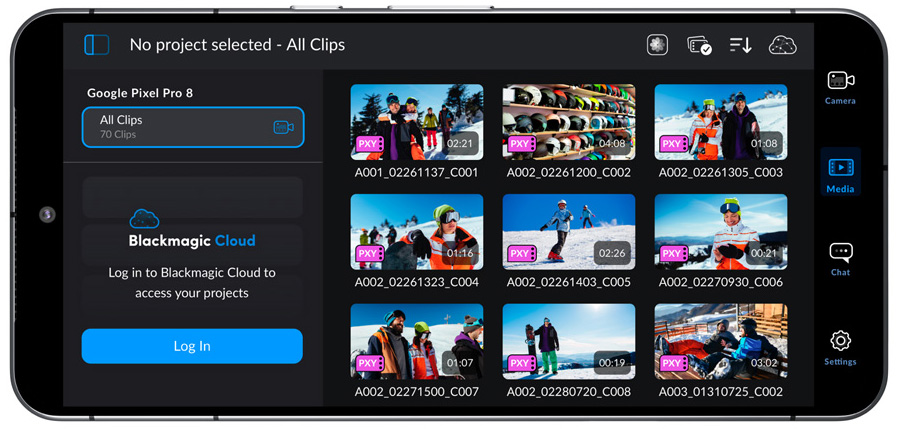
File organization in the application is simple, as there are three options depending on location and mobile data coverage. You can record to your phone’s memory and transfer the clips to a computer, which frees up storage space and allows you to share the files with other users around the world at a later date. You can also access the ブラックマジッククラウド platform and select a DaVinci Resolve project before you start recording. The recorded material will be automatically uploaded and made available to all project participants. Blackmagic Camera also offers a manual option that allows you to save your footage to your phone’s memory and select clips to be uploaded to the Blackmagic Cloud when you have a network connection. To further streamline processes, it is possible to link the DCIM folder and select sequences to upload to Blackmagic Cloud.
Another possibility when shooting with Blackmagic Camera is to upload the proxy files, followed by the camera originals, for storage via Blackmagic Cloud Storage. In addition, everyone involved in the same project will have access to the recorded material automatically. It is also possible to add sequences captured with different cameras in different locations, which will be available to other users automatically through Blackmagic Cloud.
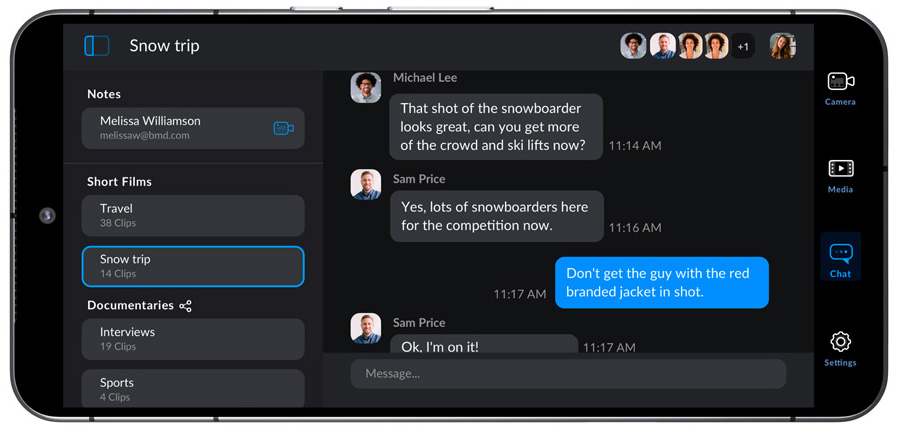 Additionally, Blackmagic Camera includes a communication system that allows members of a shared Blackmagic Cloud project to quickly exchange creative ideas about different shots without leaving the application. Simply log in to the platform, select the project and type a message. This provides the opportunity to communicate instantly with other editors, assistants, colorists or visual effects specialists.
この記事は気に入りましたか?
購読してください ニュースレター 何も見逃すことはありません。
関連記事
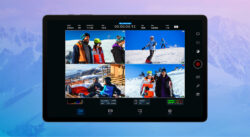 Android 用 Blackmagic Camera アプリケーションがバージョン 2.0 になり、重要な新機能が追加されました
 La app Blackmagic Camera desembarca en Android
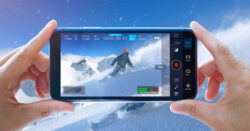 Blackmagic further evolves Blackmagic Camera app with version 1.3
Blackmagic continúa evolucionando la app Blackmagic Camera con la versión 1.3
Blackmagic further evolves Blackmagic Camera app with version 1.3
Blackmagic continúa evolucionando la app Blackmagic Camera con la versión 1.3
 Blackmagic Pocket CameraとCinema Camera 6Kは8.6ソフトウェアで機能を拡張
Blackmagic Pocket CameraとCinema Camera 6Kはソフトウェア8.6で可能性を広げます
Blackmagic Pocket CameraとCinema Camera 6Kは8.6ソフトウェアで機能を拡張
Blackmagic Pocket CameraとCinema Camera 6Kはソフトウェア8.6で可能性を広げます
 Hi human interface lands on the main outside broadcast truck of RTVE
 Oleada de novedades Blackmagic en IBC 2023: Cinema Camera 6K, Studio Camera 4K Plus G2…
 Blackmagic brings EF mount and a 6K sensor to its new Studio Camera 6K Pro broadcast camera
 xxxHOLIC は Blackmagic の Pocket Cinema Camera 6K で実現します
 Blackmagic Pocket Cinema Camera 6K のデュアル ISO、「Down with the King」の鍵
 Blackmagic unveils new Pocket Cinema Camera 6K G2
 Ssimwave lands in SRT Alliance making Live Monitor compatible with the protocol
 Blackmagic で、Cinema Camera および Pocket Cinema Camera からストレージデバイスをフォーマットできるようになりました