





Maxon Cinema 4D Release 13, ya disponible
These days you can see at IBC 2011 the new generation that simplifies character animation, adds stereographic capabilities and physical rendering.
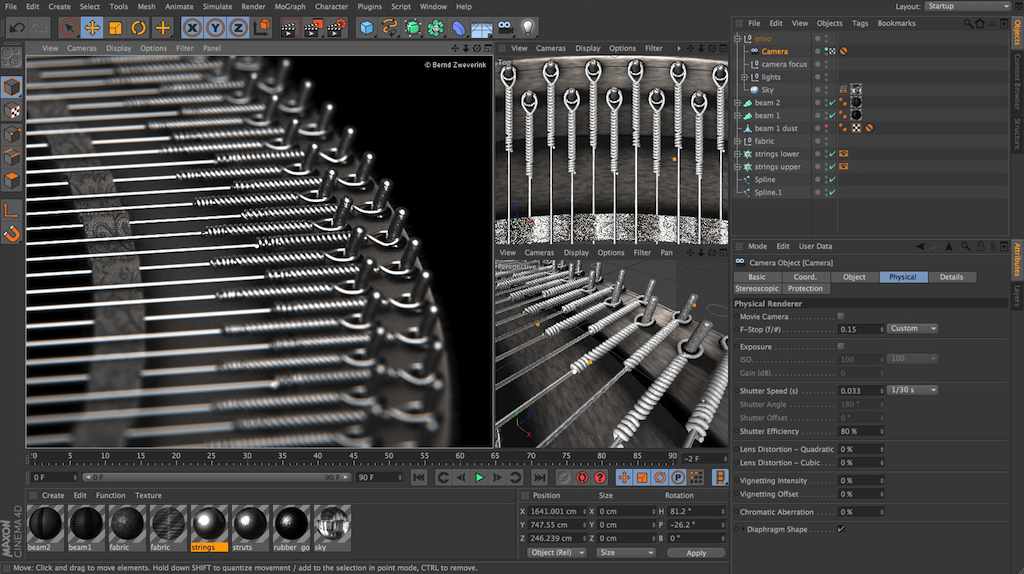
Coinciding with IBC 2011, Maxon has announced the immediate availability of Cinema 4D Release 13, the next generation of its software application for motion graphics, visual effects, painting and rendering. With new character tools, built-in stereoscopic capabilities, streamlined multi-artist collaboration and physical rendering, Cinema 4D Release 13 builds on the company's 25-year legacy of enabling digital content creators around the world to produce visually compelling content quickly and easily for various industries.
Customers with an active Maxon Service Agreement (MSA) valid through September 2 will automatically receive the update. Existing customers without an active MSA will be able to purchase and upgrade through Maxon and its authorized resellers.
"Release 13 is an amazing update. We've been working with Cinema 4D for ten years, and this is a huge step forward. The new physical renderer produces exceptional quality, and the new character tools save many hours of precious production time," said Raffael Leb, CEO of Vienna-based studio Cybertime. "However, what we liked most are the dozens of improvements incorporated into the workflow, because they make working with Release 13 fun and enjoyable. You will wonder how you ever lived without it," he added.
Maxon offers four versions of Cinema 4D, each addressing the needs of 3D artists in different industries. This new version offers Cinema 4D users a set of new tools, depending on the package chosen, to help achieve the realism they crave.
Other features now include:
- Accurate Physical Renderer: Creating photo-quality images is easier than ever with the new physical rendering engine. Based on the properties of a real camera, this additional rendering engine allows you to accurately calculate 3D motion blur, depth of field and lens distortion based on the camera's focal length, aperture and shutter speed.
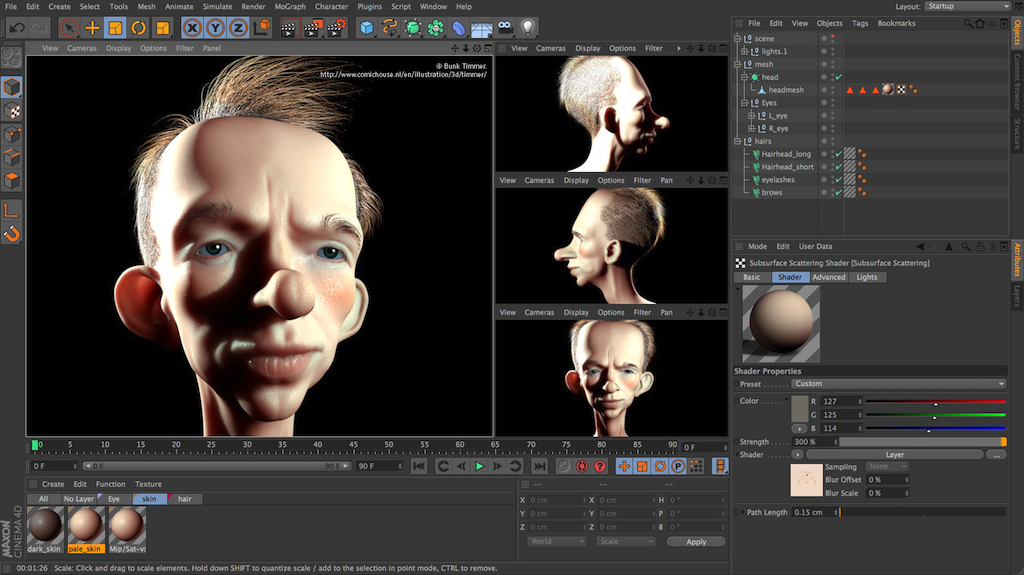
- Efficient Subsurface Dispersion: Users can now efficiently create translucent materials such as milk, skin and wax with a new subsurface scatterer included with the new physical renderer and standard Cinema 4D engine.
- Shared Image Sampling: Save tons of time by combining sampling for multiple effects like motion blur, depth of field, area shadows, ambient occlusion, and blurred reflections. Displays options that users can specify between a fixed number of samples, apply a series of adaptive samples based on geometry and shading complexity, or progressively render each frame in a given number of passes or amount of time.
- New Anti-Aliasing Filters: Users can now achieve higher quality anti-aliasing with Mitchell and Gauss algorithms.
3D Workflow
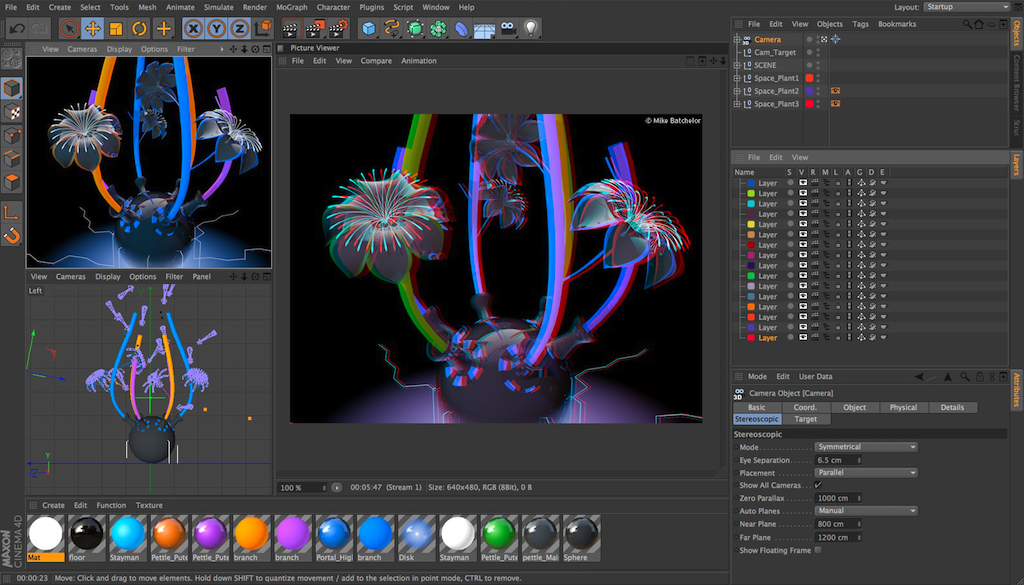
Stereoscopic capabilities are supported in the R13 to provide a reliable and smooth workflow solution for generating high-quality 3D content across a wide variety of media. Among other possibilities, update 13 allows for Stereoscopic Camera Conversion (gives users the control to easily convert any camera to parallel, On Axis, Off Axis or Radial stereo), a Stereo Image Workflow and Preview: (stereo images can be displayed directly in the 3D editor using the Anaglyph, Interlace, Trigger or Side by Side methods), Stereo Rendering options (allows clients easily render the stereoscopic image merged or in independent channels by each camera to create a true 3D experience), and an Image viewer (review of stereo renders, adjust parallax and export renders as merged or individual stereo files).
More Accessible Character Tools
The new character animation suite features simplifies the process of building a rig, removing technical obstacles, and allows artists to quickly animate characters of all types:
- New Character Object: Includes an auto-riger, which simplifies the process of building rigs and applying them to a character. Technical directors can create flexible script templates so that any user can easily apply them to their personas.
- New CMotion System: Allows users to create their own cycles or apply parametric presets based on cyclical movements. Have characters walk along a spline and over terrain, or even manually indicate steps in place. It can be integrated with the character object or applied to anyone in a scene.
- New Muscle System: Cinema 4D R13 now allows users to create their own muscles and anchor multiple joints in one rig. Includes skin stretching and slip deformer.
- New Collision Deformer: Deforms surfaces based on collisions allowing characters to intuitively interact with the environment around them.
Workflow improvements
Cinema 4D is known for its ease of use. With an improved navigation system and a host of interface improvements to the R13, users can perform the app's most common tasks more efficiently:
- Renewed Navigation System: New automatic cursor-based navigation that adjusts the point of interest for rotation and wrist movements from the moment the user clicks to start navigation. This also ensures that the camera's navigation speed is smooth and consistent, regardless of the distance to the point of interest – making it easy to rotate around any part of a model or scene.
- Special Keys: Allows users to activate a tool only while it is pressed and immediately return to the previous tool.
- New Spline User Data Interface: Managing data using a spline can now be edited more precisely with additional spline types and the ability to view splines in a larger, separate window.
- Location Indicator: Provides artists with a new indicator that indicates the location of selected objects outside the current view.
- Surface Manipulation: Offers flexible options with a new infinite axis that allows users to easily start manipulating surfaces from any point and attach them to other objects in the scene. The axis of rotation can now optionally be gimbal rotation, imagining situations where axis lock occurs, and multiple objects can also be transformed as an individual selection and not as a group.
- Animation Improvements: Based on user feedback, many adjustments were made to improve the efficiency of the animation system, including pinning, better handling of curves, markers, etc.
Efficient Operation
With professional 3D artists creating content in remote locations, on various platforms and diverse production pipelines, Maxon made the commitment to integrate into the R13 enhanced capabilities to allow multiple artists to collaborate and share content and scenes with other software applications to improve operations efficiently.
- Superior XRefs Objects: Improve artist efficiency by fully integrating XRefs (External References) reference commands into R13 for objects that can be textured, animated, and include expressions or simulations within the master file, improving work in a collaborative environment.
- C.O.F.F.E.E. and Enhanced Python Language Script Integration: Equip customers with better integration of the powerful C.O.F.F.E.E. and Python script managers, so that programmers and developers provide a customized solution for a wide range of software development tasks that can be used in all pipelines. Python plugins and scripts now appear alongside those created in C++ and C.O.F.F.E.E. Cinema 4D APIs.
- Supported File Formats: Allows artists to access a wide range of file formats for a greater and more flexible workflow. Multi-Pass files can now be saved with multiple channels within a single OpenEXR file. The popular FBX and COLLADA files have been updated to facilitate asset sharing and interoperability.
- Interchange with After Effects: Provides customers using R13 with unprecedented integration with After Effects with the introduction of the supported stage object, export of timeline markers and support for 29.97fps
Did you like this article?
Subscribe to our NEWSLETTER and you won't miss anything.
Related articles
 Maxon's Redshift rendering engine now available under a subscription model
 Maxon reveals in Siggraph Cinema 4D Release 19
 Cinema 4D Release 18 incorporates new tools that improve motion graphics, VFX and visualization
 Maxon Elevates the 3D Content Creation Experience with Cinema 4D Release 17
 Ventuz integrated in its suite with Maxon Cinema 4D
 Maxon lanza Cineware 2.0 y Cinema 4D Lite Release 16
 Maxon debuts Cinema 4D Release 16 at IBC 2014
 Full integration of Maxon Cinema 4D with Vizrt
 Maxon Cinebench R15, available for download
 Maxon announces availability of Cinema 4D Release 15
 Maxon bets on training with the Student Version of Cinema 4D R14
 Maxon anuncia Cinema 4D Release 14
 Maxon Cinema 4D, two decades of experience in the development of 3D graphics
 Maxon Cinema 4D 11.5, now for Snow Leopard