





Tricaster 40: prestaciones profesionales a bajo coste
La nueva solución de Newtek permite transmitir por internet en vivo con cámaras de alta definición tanto pregrabados o directos o llevar a cabo sets virtuales, fondos animados, efectos y gráficos.
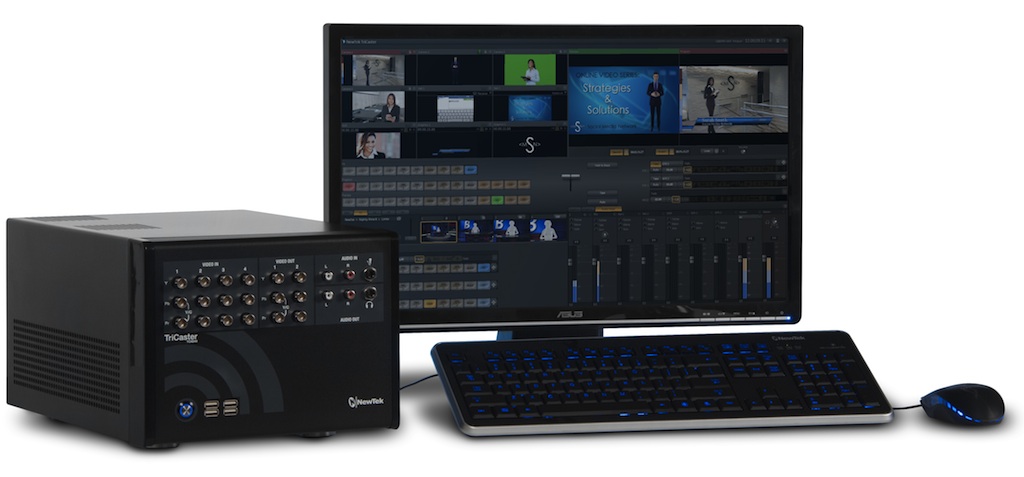
Producir un video de alta calidad puede ser un reto cuando este se hace en vivo, aún más si se transmite por Internet y con poco presupuesto. Newtek cuenta ahora con una solución “todo en uno” para la producción de video multicámara, lo suficientemente simple y asequible para cualquiera con fondos limitados.
Con el nuevo TriCaster 40 de Newtek es posible ahora hacer transmisiones en vivo o subir videos de calidad en la red y en dispositivos móviles de forma fácil y rápida.
Esta solución permite transmitir por internet en vivo con cámaras de alta definición tanto pregrabados o directos o llevar a cabo sets virtuales, fondos animados, efectos y gráficos. Y todo ello en un equipo de audio y video portátil.
 Características
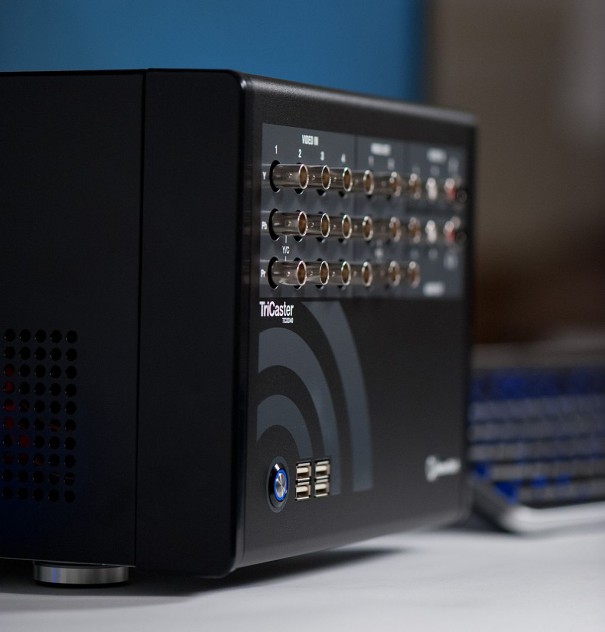
Tricaster 40 permite conectar hasta cuatro cámaras y compartir pantallas desde un portátil, de escritorio o desde dispositivos inalámbricos iOS.
Permite mezclar clips de video, gráficos y audio, todo desde un set virtual en vivo. Estará al nivel de los grandes canales de televisión con los mismos formatos usados en las transmisiones profesionales. Al mismo tiempo, las conexiones de alta calidad del componente de video permiten posibilitan con cámaras HD que están dentro de cualquier presupuesto.
Gracias a su función de set virtual es posible conbertir hasta el más pequeño espacio de producción en un estudio virtual gigante utilizando cualquier cámara en vivo, video o gráficos como fondo.
Interface
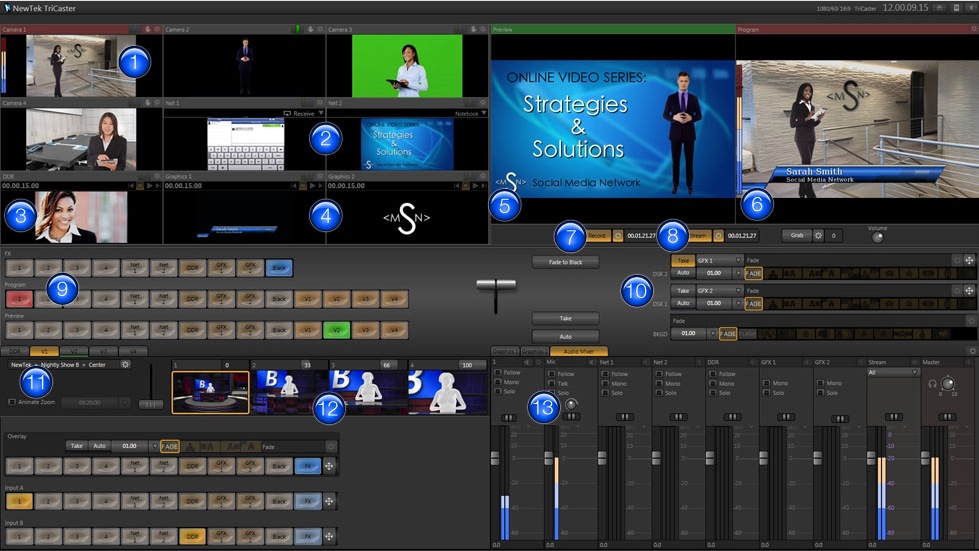
1.- Monitores de escritorio en vivo
Previsualice fuentes de video internas y externas en tiempo real (con audiómetros incorporados).
2.-Redes de entradas
Comparta pantallas de computadores o de dispositivos inalámbricos Apple AirPlay como iPad, iPhone o iPod, conectados a la misma red local como TriCaster.
3.- DDR (Digital Disk Recorder)
Cargue y reproduzca clips o paquetes de video y gráficos animados en un amplio rango de formatos.
4.- Gráficos
Añada títulos, imágenes y gráficos. Importe sus propios diseños o escoja de una amplia variedad de plantillas incluidas.
5.- Monitor de previsualización
Vea la entrada seleccionada en la hilera de previsualización, que se convierte en la salida de video después de presionar ‘Take’ para un corte o ‘Auto’ para una transmisión.
6.- Monitor de programación
Vea la entrada seleccionada en la hilera de programación, que es también la salida de video para transmitir, proyectar o grabar.
7.- Grabar
Convierta su producción en vivo en un video de alta resolución para proyectar después o para guardar como archivo.
8.- Transmisión en vivo para Internet
Lance su transmisión en vivo para Internet tocando solo un botón. TriCaster 40 incluye formatos para los perfiles de transmisión más comunes, con hasta 720p. de resolución.
9.- Mezcla para producción en vivo
Cambie entre 14 canales de video que incluyen fuentes externas de red, de medios internos y de entradas virtuales.
10.- Transiciones
Use gráficos y efectos dinámicos para cambiar entre tomas. Las configuraciones independientes de cada capa de video le dejan combinar y empatar diferentes tipos de transiciones para el video base y ambas teclas downstream.
11.- Entradas virtuales
Programe sets virtuales, ponga elementos en capas en vivo, cree efectos de imagen sobre imagen y más, desde cualquier fuente de video, en vivo o pregrabada, y asigne el efecto creado con solo un botón.
12.- Sets virtuales en vivo
Consiga la apariencia de un estudio profesional con los sets virtuales incluidos en una variedad de estilos y configuraciones. Los sets incluyen múltiples ángulos, tomas de cámaras virtuales predeterminadas y control de zoom animado para una presentación más realista.
13.- Mezclador de audio multicanal
Disfrute de un audio escueto y limpio, con controles ajustables para fuentes internas y externas, además de salidas para control y transmisión.
Did you like this article?
Subscribe to our NEWSLETTER and you won't miss anything.
Related articles
 Blackmagic demuestra en ISE cómo es posible producir contenidos de la más alta calidad de forma ágil, flexible y a bajo coste
 El 5G supondrá una reducción de diez veces el coste por gigagyte en relación con el 4G
 Canal+ lanza un canal panafricano en Francia y una plataforma de bajo coste en África
 VSN lanza VSNOne Tv, un playout integrado de bajo coste… pero con altas prestaciones
 Quantis offers low-cost satellite broadcast solutions
 The new Micro P2 cards, faster and more reliable and at a lower cost
 Las televisiones autonómicas tienen un coste medio de 30 euros por ciudadano y año
 PlayBox mostrará sus soluciones de alto rendimiento y bajo coste en BVE 2011
 The cost per household of public television is 144 euros
 Tv One demuestra en IBC soluciones para multiviewers y videowall a coste ajustado
 Netia CamDirector o cómo convertir a bajo coste un programa de radio en televisión
 Panasonic AG-HMX100, un nuevo mezclador multiformato a bajo coste
 El Peso entra en producción de televisión a bajo coste
 ¿Cómo crear un canal promocional en hoteles a bajo coste?