





Google connects all devices to the TV with Chromecast
Simply connect the Chromecast to the television (with HDMI input) and link it to the home's WiFi network to access any online content or content stored on a device from the living room screen.
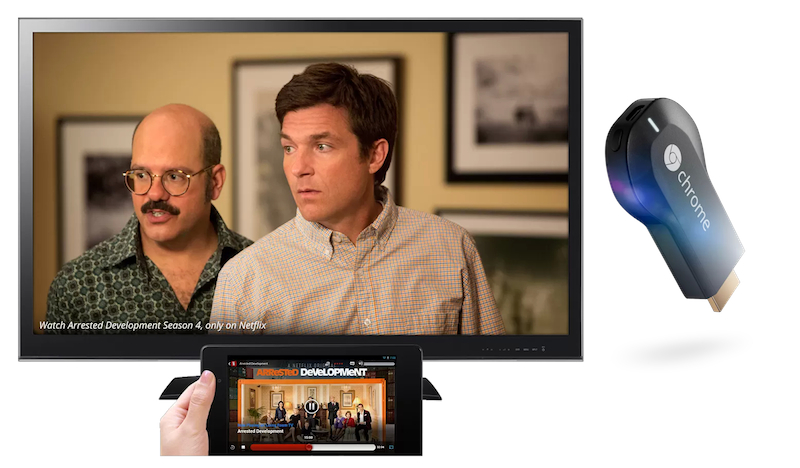
Google is willing to stand up to Apple TV in conquering the living room with its new Chromecast gadget. This device will allow the user to stream their content from their mobile and desktop devices directly to the television.
This bridge between devices and television allows, in a way, to transform any screen into a SmartTV since based on Chrome OS it will allow you to stream video from a PC or any Android or iOS device (iPhone or iPad).
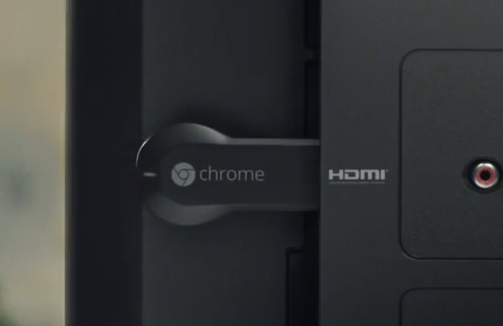 All you have to do is connect the Chromecast to the TV (on an HDMI input) and link it to the home's WiFi network. The device on which the content is hosted will use WiFi itself to deliver video directly to any screen.
As for online video, some online video services such as Pandora, Netflix and, of course, YouTube (in the hands of Google) will incorporate a button that will allow streaming to be sent directly to the television via Chromecast.
The device, whose price will be around $35, barely weighs 34 grams and measures 7.2 centimeters long. Its HDMI video output offers 1080p quality and connects to the WiFi network using the 802.11 b/g/n interface protocol in the 2.4 GHz band. Currently, Chromecast is compatible with platforms Android 2.3 or higher, iOS 6.0 or higher, Windows 7 onwards, OS X 10.7 onwards and Chromebook Pixel.
Google has made an SDK for Android, Chrome, and iOS available to developers to create an ecosystem of apps and services around Chromecast.
Did you like this article?
Subscribe to our NEWSLETTER and you won't miss anything.
Related articles
 Conecta Digital (Conecta Fiction) expands its format to build bridges between technology, creativity and monetization
 Spamflix is now available for iOS, Android, AndroidTV and Chromecast
 Almost ten million users connect to a smart television every day in Spain
 Sky Spain comes to Google Chromecast
 The Film Academy begins its new stage under the motto “Of everyone and for everyone”
 All streaming devices in North America and Western Europe will be 4K by 2022
 All Telos Alliance devices under control with Axia IP-Tablet
 Google Chromecast Ultra: streaming hasta en 4K Ultra HD con HDR
 Chromecast 2: Google returns to the assault on the IPTV market
 Atresplayer, now compatible with Google Chromecast
 RTVE.es adds to its applications the option to cast videos on television with Chromecast and Apple TV
 Thunderbolt connectivity on all Matrox devices
 RTPA launches an application for the iPhone and adapts its web portal for all mobile devices
 Google TV on the television?