





Blackmagic Video Assist allows you to record and monitor content with superior quality
Blackmagic's new proposal has a 5-inch HD touch screen with a resolution of 1920 x 1080. In addition, it allows you to record sequences in 4:2:2 format with 10-bit quality.
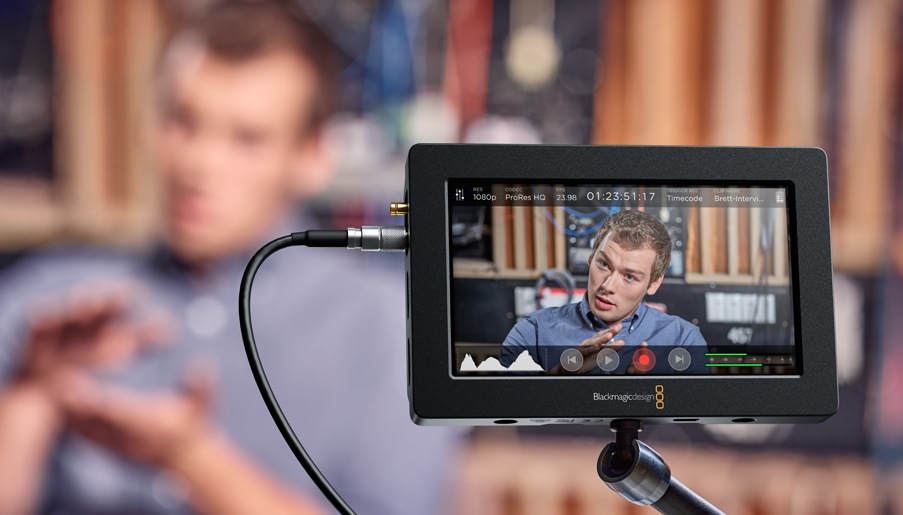
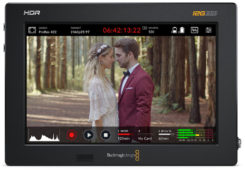
Aimed at recording and monitoring content with superior quality, the new Video Assist from Blackmagic It promises to go beyond an auxiliary reference monitor. Among other possibilities, this equipment can be placed on the camera as a monitor for the filming team, given to the person in charge of photography to compose the shots, or placed in front of the director so that he can review each shot.
The size of the touch screen is ideal for checking shot composition and focus accuracy. It is also easy to use, allowing you to modify settings and check different audio and image parameters with just a swipe of your finger.
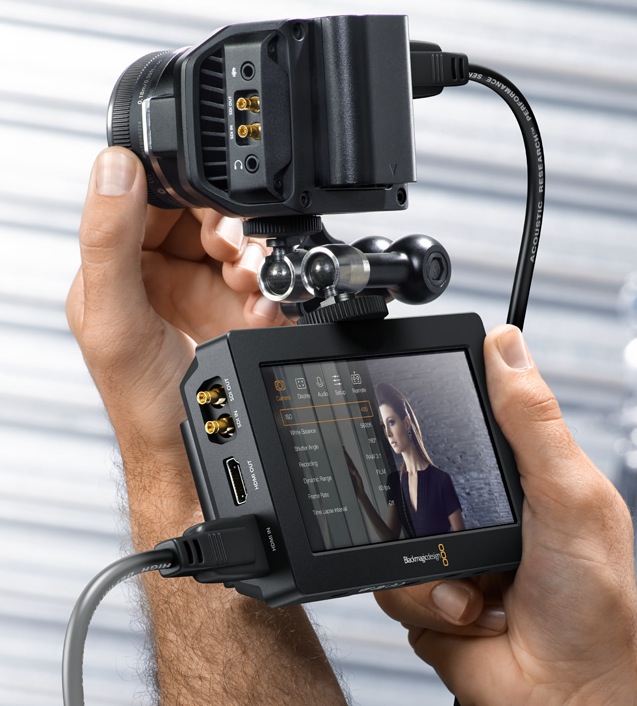 On the other hand, it has a 5-inch HD touch screen with a resolution of 1920 x 1080 that also provides a viewing angle of 135º and is used to monitor images. It also offers the possibility of recording sequences in 4:2:2 format with 10-bit quality and storing them in ProRes files using common SD cards. These recording media can be inserted directly into any computer to duplicate their content using DaVinci Resolve Lite tools, providing a complete solution for editing and grading.
Although the Video Assist device is an HD product, it also has a 6G SDI input that allows it to be used as a UHD monitor,
The Blackmagic Video Assist monitor works with all types of cameras and makes it easy to monitor images professionally. It has a bright 5-inch screen with a resolution of 1920 x 1080 and allows you to focus and frame with extraordinary precision. Likewise, it offers the possibility of recording files in ProRes or DNxHD format with a 10-bit color depth to achieve unmatched quality, and is the ideal accessory for those cameras that do not offer these features.
This device is a professional video monitor and recorder compatible with all types of SDI and HDMI cameras. It allows recording functions in ProRes format and image monitoring in Full HD resolution to be incorporated into any type of camera.
Maximum sharpness and detail
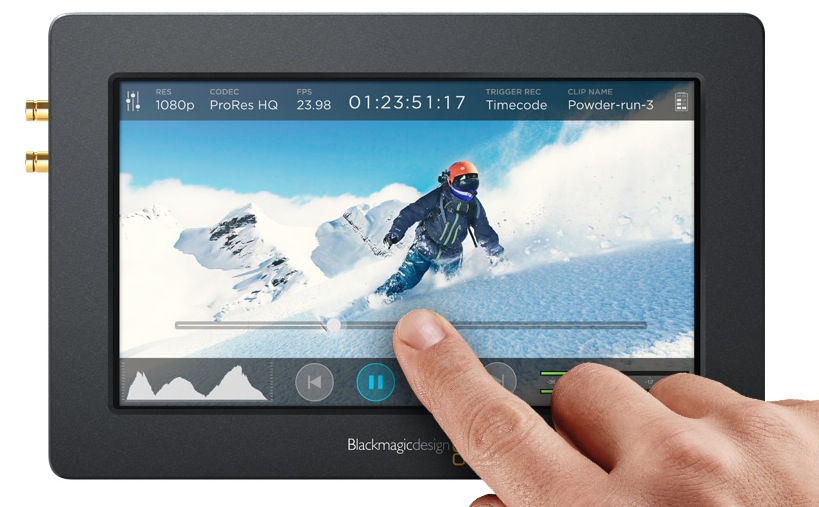
The Video Assist monitor allows you to record sequences in 4:2:2 format in 10-bit quality, thus providing the possibility of obtaining extraordinary colors with surprising sharpness and a level of detail. Data is stored in common ProRes HQ or DNxHD files using fast and inexpensive SD cards, so you can edit it directly without any conversion. Recording on the device starts automatically when you press the corresponding button on the camera. This allows you to focus on getting the best shots without worrying about handling additional equipment.
The device includes a bright, high-definition display with a resolution of 1920 x 1080 and a size of 5 inches that eliminates the need for additional monitors and viewers on the recording set. It is possible to use it on the camera as a monitor for the filming team, give it to the person in charge of photography to compose the shots, or place it in front of the director so that he can review each shot.
On the other hand, the screen offers a viewing angle of 135º that makes it easy to view from various sides. Likewise, this model has a function that automatically rotates the image in order to orient the connections in the most convenient way. It is compatible with all types of formats in SD or HD resolution and, thanks to 6G SDI technology, it also allows you to monitor UHD images.
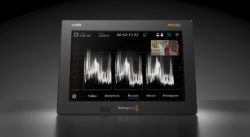
The screen used to monitor the images also allows you to modify the different settings of the device by touch. All functions are at your fingertips and just swipe to get information about the camera, change settings or check different audio and image parameters. Likewise, the semi-transparent menus offer the possibility of varying the recording format, checking the frame rate or viewing the signal histogram, VU meters and time code without taking your eyes off the screen.
Lightweight design
The Video Assist device features a lightweight, rugged design with an extraordinarily compact size. Despite its small dimensions, it includes a 5-inch touch LCD screen with a resolution of 1920 x 1080 that offers the possibility of monitoring images and modifying different settings. It also has an SD card slot and two rechargeable battery compartments that allow recording to continue without interruptions. The threaded holes make it easy to place on any type of camera, while the support foot makes it possible to place it on a flat surface. Furthermore, it is extremely comfortable to hold in your hand and can be passed around to other members of the film crew so that everyone has a chance to see the shots.
 Connectivity
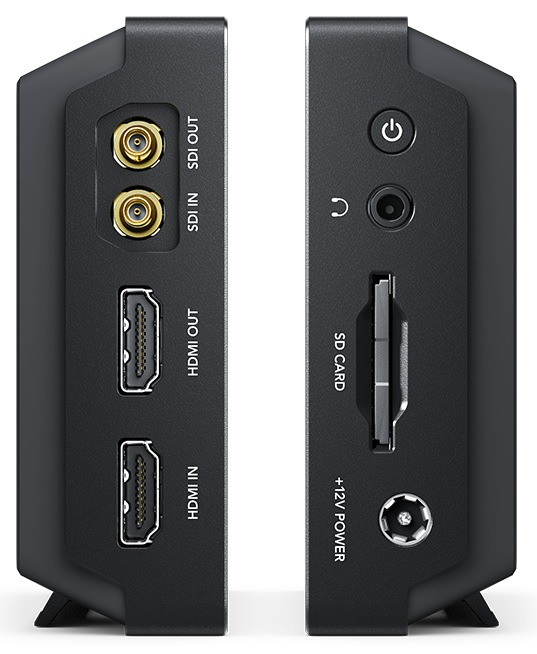
This device has HDMI and 6G SDI inputs that provide the possibility of recording images from all types of cameras. Additionally, the branch output makes it easy to connect larger HD monitors or HDMI projectors.
Furthermore, audio can be monitored via the 3.5mm headphone jack, while the universal 12V power supply ensures uninterrupted operation.
When shooting outdoors, the LP-E6 battery compartments offer a greater degree of mobility and provide enough power to shoot longer sequences.
 Recording
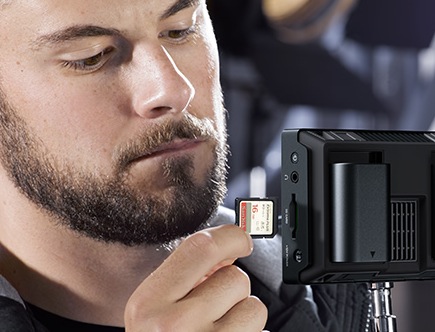
The device records files to memory cards whose data processing speed allows for capturing and playing back HD 1080 images at 60 frames per second. In this way, it is possible to use recording media available for less than a dollar per GB. These can be easily purchased and provide the ability to record up to 3 hours of video in ProRes HQ 1080p24 format on a single 256GB drive.
By connecting the Video Assist device to a camera, you eliminate the need for other more expensive filming media, such as XDCAM, P2 and SxS. Likewise, SD cards can be inserted directly into any computer equipment without the obligation to use external readers or other devices.
Did you like this article?
Subscribe to our NEWSLETTER and you won't miss anything.
Related articles
 Blackmagic Design updates Video Assist to be recognized as a webcam
 Blackmagic launches an economical version of its popular Video Assist 3G
 Dolby On, an application (iOS/Android) to record music and videos with high quality
 Blackmagic Design now offers Blackmagic RAW recording on its Video Assist 12G
 EOS-1D
 Blackmagic Video Assist 12G: Record and monitor images in HD, UHD, DCI 2K and 4K formats from SDI or HDMI cameras
 Ateme enables Hitachi Kokusai Linear to deliver high-quality video encoding in broadcast environments
 Blackmagic demonstrates at ISE how it is possible to produce content of the highest quality in an agile, flexible and low-cost way
 Ateme and Interra close a technological alliance aimed at offering superior quality video
 Blackmagic updates its Video Assist with new features
 Blackmagic updates its popular Video Assist
 Superior sound quality and unmatched flexibility with Avid's Pro Tools MTRX audio interface
 The high ISO sensitivity of the new Canon ME20F-SH allows you to record spectacular images of the northern lights
 The Blackmagic Ursa camera now allows recording at 80 fps.