





MultiDyne offers a new compact and lightweight solution for signal transport over fiber
The new VB-3600 offers eight mounting options for a variety of signal configurations, including 12G, 4K and 1080p video; Integrated audio, Ethernet and control.
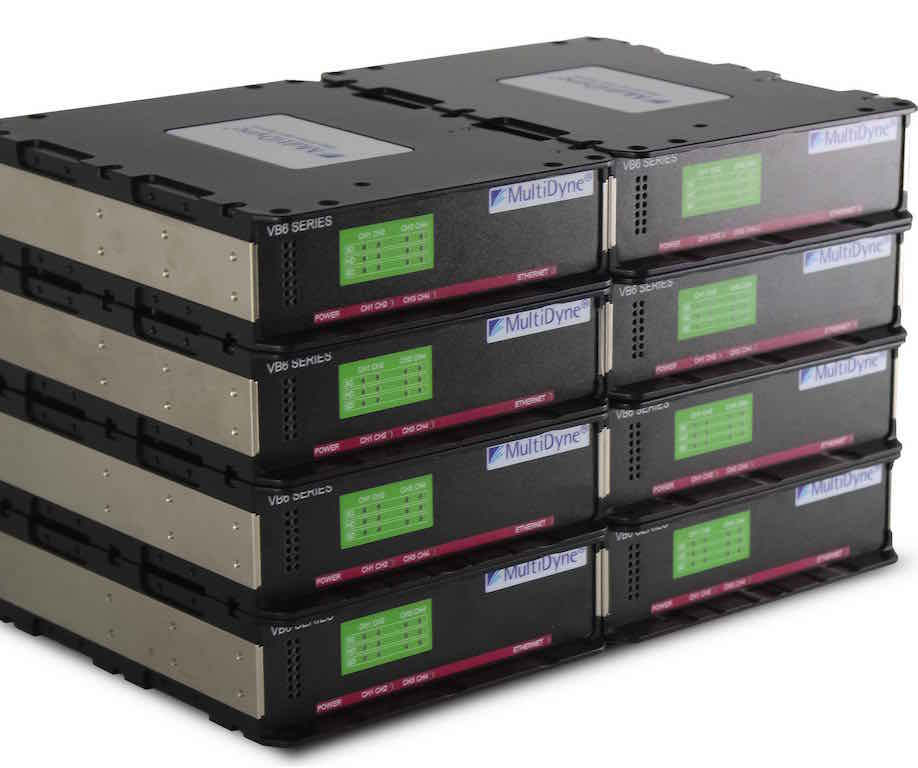
MultiDyne will expand its range of LightBrix fiber signal transport solutions at NAB 2017 with the launch of VB-3600. It offers eight mounting options for a variety of signal configurations, including 12G, 4K and 1080p video, integrated audio, Ethernet and control.
Frank Jachetta, president of MultiDyne, highlights that "one can imagine a mobile unit or a temporary studio built for a special event, each of which takes on a challenge with managing multiple signals. While the VB-3600 offers a compact reception solution, our customers can reduce their infrastructure even further by taking advantage of the OG-3600 modules."
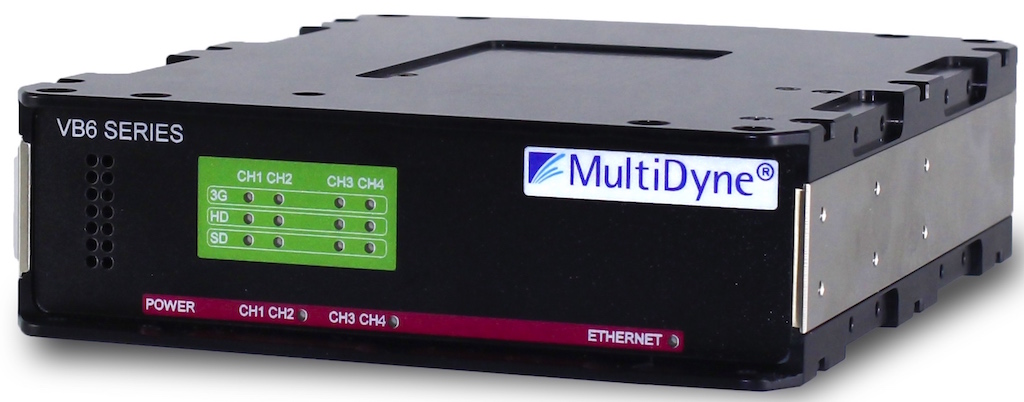 With its compact architecture (7.25x5.75x1.75 inches), the VB-3600 series is built for users who need a lightweight launch system that is convenient for moving around in the field or a modest system for easy mounting. Ideal as a signal extender from a camera to a mobile unit, studio or video display, each unit meets specific connectivity needs through video, audio and data.
At the top of the VB-3600 range, the VB-3607 provides a cost-effective solution for transmitting 4K video or four signal paths of 1080p, HD, SD and/or ASI over single-mode fiber optic cable. It is also capable of handling SDI speeds of 5Mb/s up to 3GB/s (1080p) uncompressed.
To maximize ease of use and deployment, each VB-3600 Series is combined with the signal density and connectivity features of a common VB-3600 throwdown or OG-3600 Series module. Thanks to this configuration, it is possible to quickly establish communication between each device upon connection, without the need for any additional configuration work. Broadcasters using a VB-3600 download in tandem with an OG-3600 module take advantage of the additional benefits of remote monitoring and SNMP management through the OpenGear control panel.
Did you like this article?
Subscribe to our NEWSLETTER and you won't miss anything.
Related articles
 Fujifilm debuts its new compact data archiving solution, Kangaroo Lite, at IBC 2024
 LiveU will debut its new light sports production solution at IBC 2024
 Globecast deploys 100GB fiber network in Europe to meet media transport
 Yamaha QL1, the compact solution for the new RTV Drenthe mobile unit
 JVC offers adaptable and versatile video transport over the Internet
 MOG offers shared storage and fast editing in an ultra-compact solution
 LuxorODA, Estructure's new solution for archiving on optical discs
 MultiDyne launches fiber transport solution with 4K support
 Televés presents its new range of devices for signal distribution over fiber optics
 Weisscam Sweet 16 offers a great compact and creative solution
 Harris IP Link 100: a compact solution for reliable audio transport between two or more points
 Multidyne enters RF satellite transport over fiber
Ono partners with TiVo to develop its new fiber platform
Multidyne enters RF satellite transport over fiber
Ono partners with TiVo to develop its new fiber platform
 Multidyne LightBox 3D, flexibility in the transport of 3D signals