





RTPA expands its accessibility services for people with disabilities
The services are available both in the television broadcast and on the website of the Asturian regional channel.
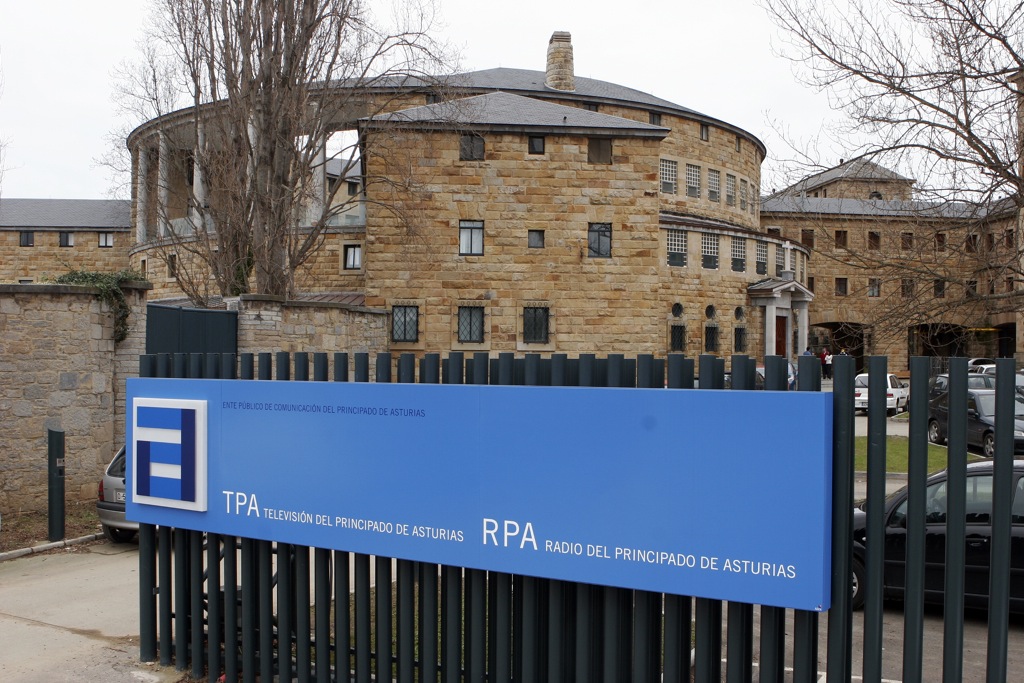 The Radio Television of the Principality of Asturias, RTPA, has completed a process of implementing Universal Accessibility services, both in its television broadcasts and on its website, with the aim of meeting the different needs of Asturian viewers.
Universal Accessibility is the condition that environments, processes, goods, products and services, as well as instruments, tools and devices, must meet to be understandable, usable and accessible to all citizens in conditions of safety, comfort and in the most autonomous and natural way possible. In this way, the aim is to achieve the full participation of people with disabilities in all areas of community life.
To this end, RTPA has launched a series of tools that allow greater accessibility to the services and content offered through television and the web to those people whose disability or preparation does not allow them to satisfactorily view, read and/or understand the content and texts.
Television
In the case of television, these services are enabled from the different menus offered by the receiving devices. Through the remote control, you can view and select all available options.
At the beginning of the broadcast of programs that have such services, this possibility is indicated with an icon or screen, accompanied by an identifying and recognizable audio of the service.
Audio description is a service intended for people with visual disabilities, both those with total blindness and those who retain traces of vision. For this purpose, an auxiliary audio channel is available, which allows people with such disabilities to access television programs. It is a system created to replace the lack of visual perception with complementary sound descriptions and auxiliary comments. Its purpose is to provide information about the spatial situation, gestures, attitudes, landscapes, clothing...
En definitiva, detalles que son esenciales para comprender el desarrollo de la narración. Justo antes del programa, una pantalla gráfica con una locución que informa de que ese espacio determinado dispone de audiodescripción.
El subtitulado para sordos o personas con discapacidad auditiva consiste en presentar en pantalla un texto escrito que incluye todo el contenido de los diálogos y la banda sonora de un programa de televisión. El subtitulado para sordos no sólo recoge lo que se dice, cómo se dice (énfasis, tono de voz, acentos, idiomas extranjeros, ruidos de la voz) y quién lo dice, sino también los sonidos significativos de la banda sonora (música y ruidos ambientales). En emisión aparece un icono en la parte superior, que indica que el programa dispone del servicio.
También en la web
En el caso de la página web de RTPA también se han puesto en marcha servicios análogos para personas con discapacidad.
Among these services is Automatic Reading of News and Content, which converts the texts on the website into audio, in real time and using very high quality synthetic voices. Users do not need to download additional software. Simply by clicking on the corresponding icon you can listen to the content. In addition, the text that is being read is highlighted synchronously with the reading. At the top of the news, an icon appears to activate and deactivate this option.
La página web de RTPA dispone también de Subtitulado de Programas. Esta herramienta activa la visualización de subtítulos en los programas que están disponibles en el apartado TPA a la carta. Tampoco en este caso es necesario descargar un software adicional. Simplemente, se trata de hacer clic en el icono correspondiente, que activa la visualización.
En las fichas de los programas de la sección de la página web Televisión, aparece una casilla que indica si el programa dispone de opción de subtitulado.
En la parte derecha de la ventana de visualización del programa, aparece un icono para activar y desactivar dicha opción.
Did you like this article?
Subscribe to our NEWSLETTER and you won't miss anything.
Related articles
 BBC and Netflix will develop content created by people with disabilities
 Atresmedia and Fundación Universia join forces to promote the employment of people with disabilities
 PROA promotes the labor insertion of people with disabilities
 The audiovisual sector analyzes the presence of people with disabilities in the profession
 Movistar launches the first campaign in cinemas adapted to people with audiovisual disabilities
 Connected TV could open the doors of the labor market to people with disabilities
 Red Bee Media to provide accessibility services to BBC
 TVE is the network that broadcasts the most accessible programs for people with disabilities
 Deluxe Spain offers accessibility services for Discovery Max
 RTPA launches an application for the iPhone and adapts its web portal for all mobile devices
 The RTVE Corporation, recognized for its support for people with disabilities
 Pro Project: second course of the first Audiovisual School for people with disabilities
 DTT in HD, payment services, interactivity and accessibility... the pending subjects
 The Government promotes access to DTT for people with disabilities