





Panasonic promises to eliminate the headaches when setting up a video wall
Gracias al kit Auto Camera Adjustment se reduce el tiempo de instalación y mejora la uniformidad cromática de las imágenes.
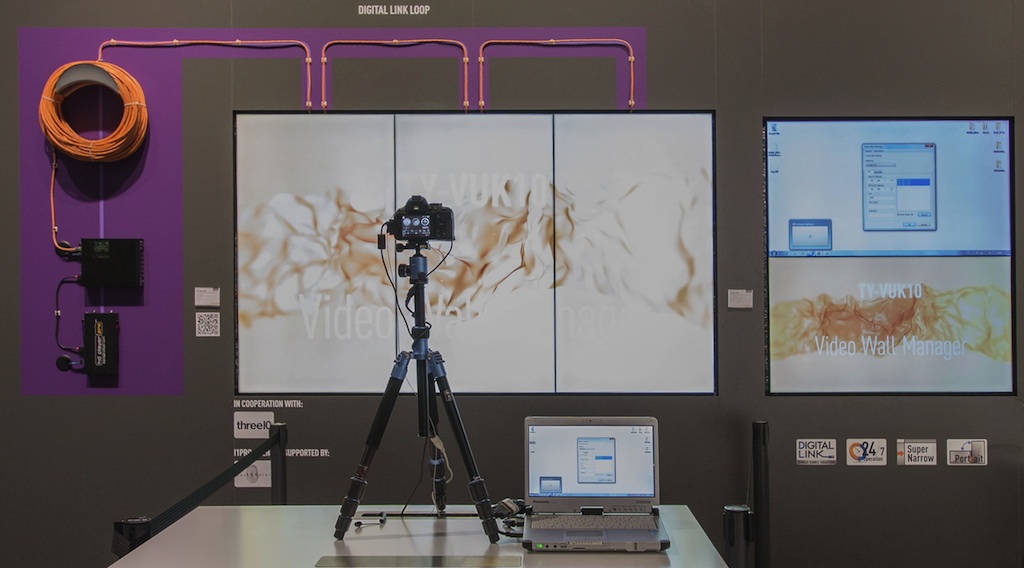
Tanto en instalaciones efímeras como en fijas como es el caso de un plató uno de los inconvenientes que surge a la hora de instalar un videowall es conseguir y mantener una uniformidad cromática entre los diferentes displays.
Para ayudar en esta tarea, Panasonic acaba de presentar el kit Auto Camera Adjustment, un software de gestión creado para optimizar el uso de video walls, reducir el tiempo de instalación y mejorar la uniformidad cromática de las imágenes.
Se trata de un kit opcional que se integra en el software Video Wall Manager que Panasonic ofrece de forma gratuita, igual que el kit de actualización de la cámara ya disponible para el software multiproyector de la compañía, permite reducir en gran medida el trabajo, la complejidad y los costes de configuración y ajuste que supone el uso simultáneo de varias pantallas.
Enrique Robledo, director de marketing de Panasonic Visual System Solutions, destaca que hasta ahora “los instaladores tenían que ajustar uno a uno el color y el brillo de todos los displays del video wall mediante un sensor, lo cual es trabajoso, requiere conocimientos especializados y en algunos casos no produce resultados totalmente precisos. Sin embargo, tras activar la función Auto Camera Adjustment del software Video Wall Manager, el instalador conecta una cámara compatible, realiza una fotografía del videowall y el software analiza el control de iluminación de fondo y el balance de blancos para ajustar el color de cada panel con precisión. A continuación, el software ajusta y guarda automáticamente la configuración de cada display, lo que permite grandes ahorros en términos de tiempo de ajuste y costes. Por otra parte, si surge la necesidad de sustituir uno de los displays, no es necesario volver a calibrar manualmente el videowall”.
Alineación precisa
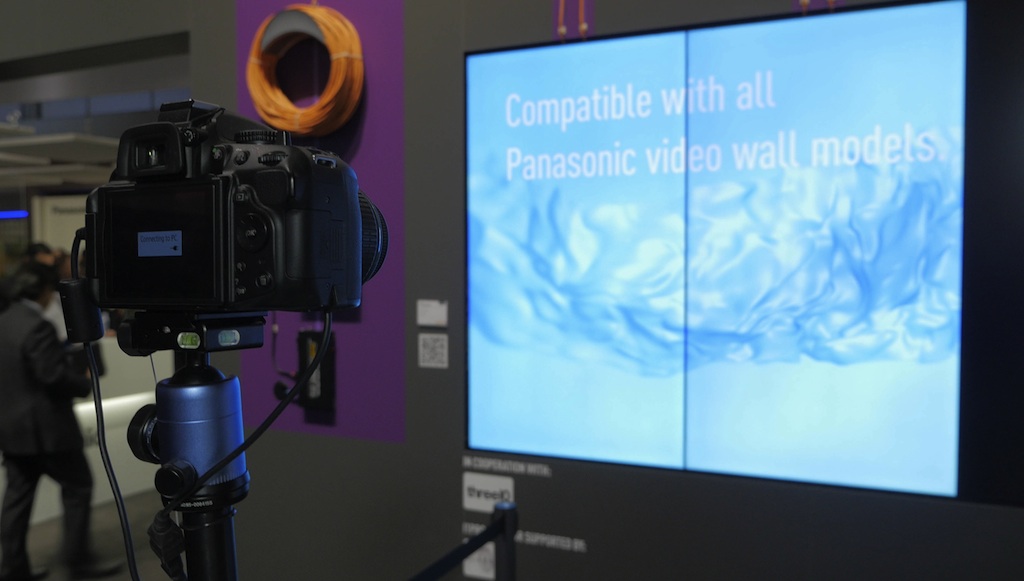
El kit Auto Camera Adjustment (TY-VUK10) cuenta con un sistema de montaje de la instalación que incluye marcos de pantalla modulares y un sistema de imanes que garantizan la alineación precisa de cada display a través de todos los ejes.
Los usuarios pueden descargar el software Video Wall Manager de forma gratuita desde el sitio web PASS de Panasonic. Para el paquete Auto Camera Adjustment se requiere un código de activación de pago para un único PC, no para todos los displays.
El Video Wall Manager y el kit de actualización Auto Camera Adjustment son compatibles con las pantallas de las series LFV50, LFV5 y LFV70 de Panasonic.
Did you like this article?
Subscribe to our NEWSLETTER and you won't miss anything.
Related articles
 Llega Teradek TV, plataforma para configurar y enviar feeds de vídeo encriptados en UHD
 Ending interoperability problems in the Ultra High Definition ecosystem is possible
 Mediapro Brands produce mediante teletrabajo el spot de LaLiga que rinde homenaje a quienes luchan por acabar con el coronavirus
 UTECA reclama al nuevo Gobierno acabar con las asimetrías regulatorias
 Yerba Buena VR pretende acabar con cuellos de botella en la distribución de realidad virtual premium
 MOG Technologies promete acabar con la complejidad del streaming en directo
 Panasonic presenta un videowall con alta visibilidad y marco fino, ideal para platós
 TiVO dispuesta a acabar con la “guerra de patentes”
 ¿Qué tener en cuenta a la hora de elegir una tarjeta SD?
 El primer display para videowall de Panasonic, gran estrella del nuevo Visual Experience Roadshow
 Panasonic fully enters the video wall market
 3D ecosystem, 3D production without headaches
 5.1 and 7.1 surround audio, without headaches, with DTS on NAB
 Avid promises more integration with other brands