





Roland V-60HD: un mezclador multiformato compacto, portátil y fácil de usar
El V-60HD admite seis canales de vídeo desde diversas entradas, que incluyen fuentes 3G-SDI, HDMI y RGB con escalado en las entradas HDMI y RGB para admitir resoluciones de vídeo y VESA desde 480i hasta WUXGA.
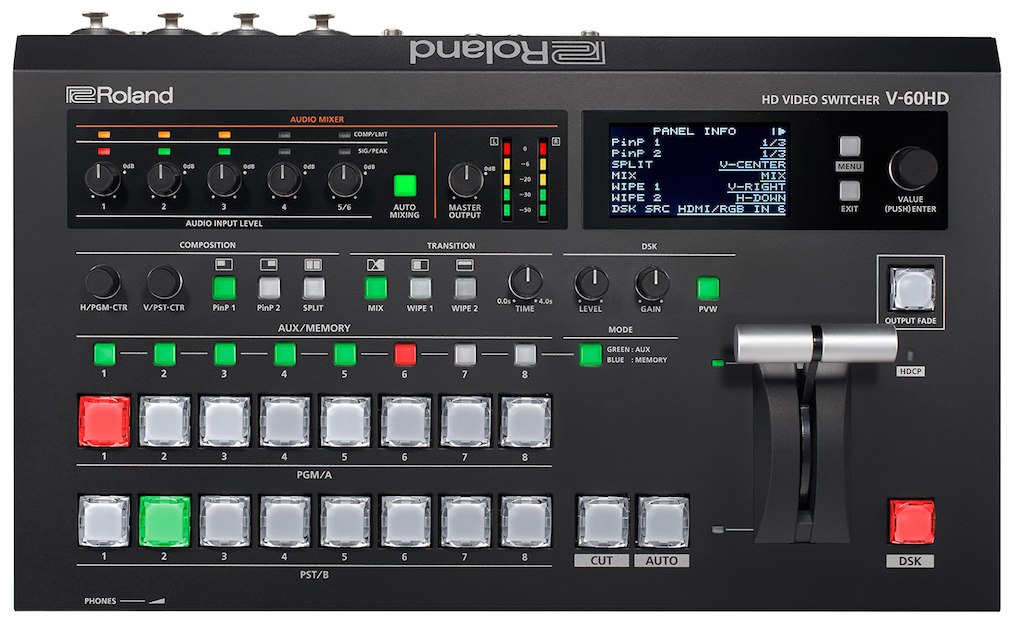
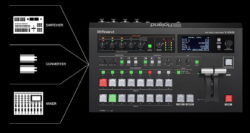
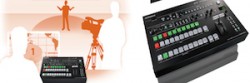
El nuevo V-60HD es el último mezclador de AV que Roland incorpora a su gama de soluciones de producción de vídeo. Su conjunto de características es perfecto para la producción de eventos en vivo.
Admite entradas de cámaras SDI, así como entradas HDMI con escalado para datos, ordenadores, tabletas y otras fuentes de vídeo a través de diversas conexiones, y también buses Program y Aux independiente para monitores de seguimiento, monitores a pie de escenario y pantallas laterales.
El V-60HD también ofrece funciones avanzadas de sonido, como el audio incrustado multicanal, entradas analógicas XLR/TRS y RCA y audio incrustado multicanal a dos salidas SDI, además de completas funciones de dinámica y mezcla automática. Compacto, portátil y fácil de usar, el V-60HD admite seis canales de vídeo desde diversas entradas, que incluyen fuentes 3G-SDI, HDMI y RGB con escalado en las entradas HDMI y RGB para admitir resoluciones de vídeo y VESA desde 480i hasta WUXGA.
Un desentrelazador permite el uso de fuentes de vídeo 1080i y 1080p desde múltiples cámaras de objetivo fijo, PTZ o ENG de forma simultánea sin un conversor de señal externo. El V-60HD también admite captura de imágenes fijas e importación con dos puntos de cruce específicos para tener las imágenes a mano y activarlas fácilmente.
Las fuentes de buses Program, Preview y AUX ofrecen salidas flexibles para entornos multipantalla, como centros de culto, palacios de congresos, hoteles y ferias comerciales, lo que permite usar monitores de seguimiento, notas de presentador y una salida principal para IMAG. Se puede asignar el bus AUX específico a cualquiera de las cuatro salidas SDI o HDMI independientes, de modo que se ofrece una conmutación perfecta desde los ocho canales de entrada, que incluyen cuatro SDI, dos HDMI o una RGB y dos imágenes fijas cargadas vía el puerto USB.
Una pantalla LCD de tres pulgadas en el panel frontal ofrece navegación mediante menú de acceso rápido para ajustar los parámetros del conmutador. Un multivisor admite señales Program y Preview y hasta ocho fuentes de vídeo con indicadores de audio y etiquetas.
La sencilla aplicación de software V-60HD RCS (Mac y PC) proporciona información de configuración y control para el equipo a través de un puerto de red.
Control a distancia
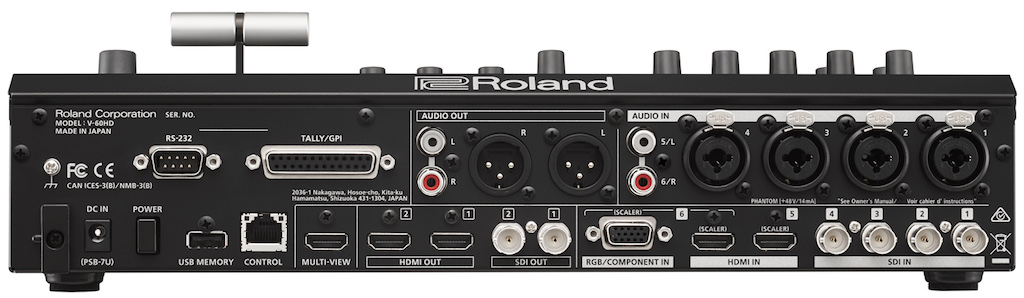
En las instalaciones fijas, el V-60HD se puede controlar a distancia a través del puerto LAN o RS-232 usando el panel táctil u otros equipos de interfaz programable. El puerto LAN también admite el nuevo sistema de tally inalámbrico de Roland para PC y dispositivos iOS/Android, que proporciona tally a algunos equipos en un punto de acceso Wi-Fi. Además de permitir la carga de imágenes fijas, el puerto USB permite al usuario guardar archivos de programa y ajustes de memoria, así como actualizaciones de software.
La interfaz de usuario profesional también incluye botones de punto de cruce con calidad de conmutador de transmisión con indicadores de color LED PGM/PST, una resistente barra T y diales de edición rápida DSK (downstream keyer) para nivel de key y ganancia. Dos conjuntos de controles específicos ofrecen encuadre centrado de Split y PinP (Picture-in-Picture).
El DSK se puede usar para aplicar hasta tres capas de composición con títulos, letras de canciones, logotipos o gráficos procedentes de fuentes de vídeo. El DSK admite luminancia (negro/blanco) y croma (azul/verde) para componer dos fuentes de vídeo más la capa adicional de PinP y el vídeo de fondo.
El procesamiento de vídeo permite cortar, mezclar con fundido cruzado y aplicar transiciones NAM y FAM con 30 patrones diferentes de cortinilla. La corrección basada en el tiempo y la sincronización de fotogramas garantizan transiciones impecables entre seis fuentes de vídeo y dos buses de imágenes fijas.
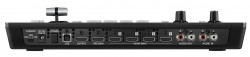
El V-60HD también incluye un mezclador de audio de 12 canales con cuatro jacks combo TRS/XLR con alimentación phantom 48V, un par estéreo RCA y desincrustación de audio desde las seis entradas de vídeo. Las funciones de procesamiento de audio incluyen potentes características de dinámica y efectos, como un filtro de paso alto, puerta, compresor/limitador, ecualizador de tres bandas, delay y la posibilidad de seleccionar canales con audio que sigue al vídeo.
La innovadora función de incrustación de audio multicanal independiente permite seleccionar qué fuente de audio se incrusta de forma separada en las salidas SDI 1 y 2, por ejemplo, para corregir problemas de audio o separar fuentes de audio en varios idiomas a posteriori. Por último, la función de mezcla automática ajusta el nivel de audio de forma ponderada para garantizar niveles uniformes en la mezcla de sala, la grabación y el streaming web.
Did you like this article?
Subscribe to our NEWSLETTER and you won't miss anything.
Related articles
 Ignacio García-Legaz (MasOrange): “El reto de la IA es que sea fácil de usar, masiva y que aporte valor al cliente”
 Roland V-160HD: un mezclador compacto y portátil con capacidades de streaming integradas
 V-600UHD, el nuevo mezclador de audio y vídeo multiformato 4K HDR de Roland hace su debut en ISE 2019
 Roland inicia la comercialización de su mezclador multiformato V-60HD
 Roland incluye nuevas funciones en su mezclador multiformato V-800HD
 Roland lanza el nuevo mezclador compacto y de fácil transporte V-1HD
 Sony PMW-PZ1: reproducción 4K asequible, fácil de usar y compacta
 Roland lanza la nueva gama de matrices multiformato XS
 Roland V-40HD: un práctico mezclador de vídeo multiformato de cuatro canales
 For-A HVS-4000HS, el nuevo mezclador multiformato listo para 3Gbps y 3D
 Ikusnet, contribución sobre redes IP en un equipo compacto y portátil
 Panasonic AG-HMX100, a new low-cost multi-format mixer
 Kahuna Snell CF+: un mezclador multiformato para informativos, tv móvil y televisiones regionales
 Panasonic AV-HS450, nuevo mezclador multiformato de 16 entradas