





DaVinci Resolve 11 Beta Now Available
Esta es una de las actualizaciones más significativas e incluye mejoras en las funciones de edición en alta resolución, nuevas herramientas de corrección del color para fotógrafos, gestión de medios en el set y mucho más.
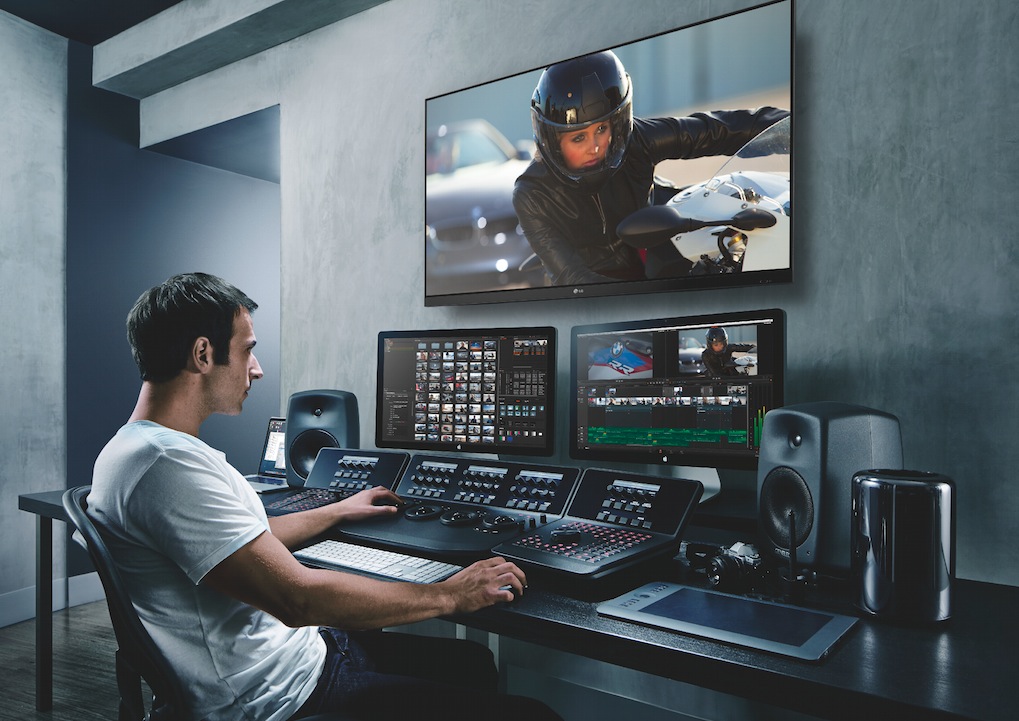
La versión beta de DaVinci Resolve 11 de Blackmagic Design ya se encuentra disponible para el público en general. Ésta es una de las actualizaciones más importantes hasta el momento, con más de 100 nuevas funciones de edición y etalonaje. La nueva versión incluye mejoras significativas en materia de montaje en alta resolución, funciones de recorte contextuales, herramientas de corrección similares a las utilizadas la fotografía digital, y la posibilidad de copiar archivos durante la filmación, además de nuevos procesos de trabajo en colaboración que permite a varios usuarios trabajar en la misma línea de tiempo simultáneamente.
El nuevo DaVinci Resolve 11 cuenta con más de 70 nuevas funciones de edición desarrolladas a partir de las sugerencias hechas por un gran número de editores profesionales. Incluye dos pantallas y herramientas de edición profesionales que abarcan desde el uso de las teclas JKL para realizar ajustes dinámicos hasta encadenado de audio y atajos personalizados para editar con mayor rapidez. Las funciones de recorte son contextuales, de modo que DaVinci Resolve reconoce automáticamente el tipo de ajuste que el usuario desea realizar en la secuencia según la posición del ratón. Esto no solo facilita enormemente la edición evitando perder tiempo valioso al cambiar de herramientas sino que también permite editar secuencias en varias pistas de audio y vídeo simultáneamente, ya sea en la misma dirección o en forma asimétrica.
DaVinci Resolve 11 incluye un nuevo editor de fotogramas clave con curvas diferenciables integrado en la línea de tiempo que coloca los marcadores directamente debajo de cada secuencia según el contexto de la misma. Asimismo, permite añadir elementos de OpenFX a la línea de tiempo y utilizarlos en las transiciones.
Las nuevas herramientas colaborativas de DaVinci Resolve 11 hacen posible que varias terminales compartan una misma línea de tiempo, de forma que el editor y los coloristas pueden trabajar conjuntamente a medida que finalizan los planos. A modo de ejemplo, un colorista puede estar realizando una composición de imágenes o el seguimiento de un determinado objeto mientras otro ajusta el color, y la secuencia se actualiza instantáneamente a medida que el editor lleva a cabo la edición. Por lo tanto, los usuarios siempre disponen de una versión actualizada de la línea de tiempo y pueden trabajar en el mismo proyecto simultáneamente. Esto facilita la sincronización de los equipos creativos y les permite acelerar los procesos en proyectos complejos tales como la producción de largometrajes y programas de televisión.
Una de las ventajas más importantes de las nuevas funciones de edición que ofrece DaVinci Resolve 11 es la compatibilidad con Apple Final Cut Pro X. Esta integración permite pasar proyectos de un programa a otro sin mayores dificultades. Por ejemplo, un usuario de Final Cut Pro X rueda un largometraje en forma independiente pero desea realizar la edición y el etalonaje del mismo en una posproductora de Hollywood. La compatibilidad de ambas aplicaciones brinda la posibilidad de que cineastas independientes trabajen con grandes estudios en el área de la posproducción.
Etalonaje digital
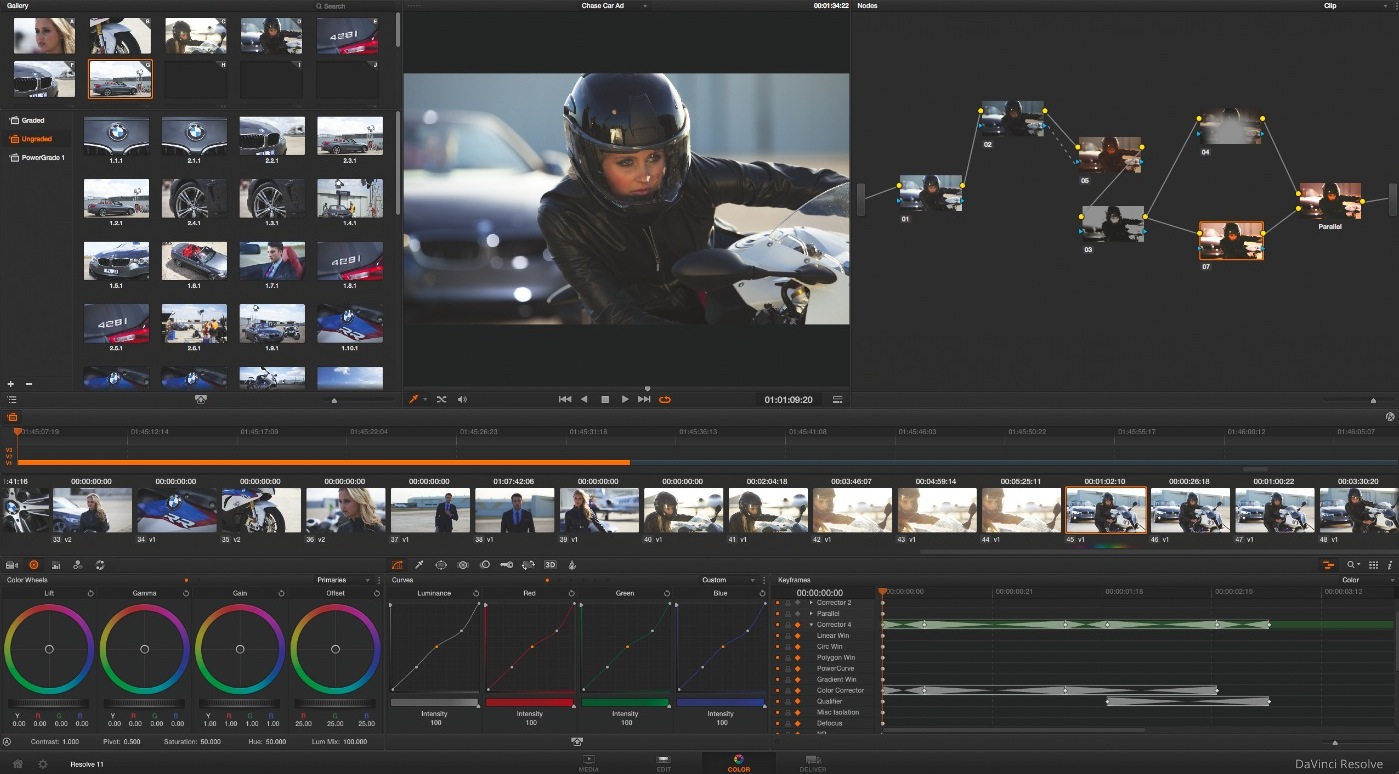
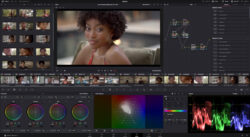
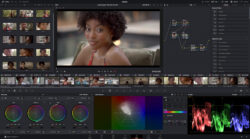
Las herramientas de etalonaje digital también han sido mejoradas en esta versión de DaVinci Resolve. La nueva actualización incluye controles para imágenes en formato RAW y ajustes del color diseñados para aquellos fotógrafos que han comenzado a incursionar en el campo de la cinematografía. La nueva pestaña “Camera RAW” dispone de funciones para recuperar las luces y las sombras, resaltar los detalles de los medios tonos, potenciar el color y modificar la ganancia y el contraste. Asimismo, DaVinci Resolve 11 permite superar las limitaciones de los sistemas de retoque fotográfico y brinda un control total de las imágenes en formato RAW, haciendo posible aprovechar al máximo la amplitud del rango dinámico en tiempo real.
Otra de las ventajas que brinda el programa es la posibilidad de respaldar y guardar los archivos digitales de la cámara. La nueva herramienta de clonación permite copiar el contenido de distintas cámaras, unidades y tarjetas de memoria a diferentes destinos simultáneamente. Los archivos copiados se verifican para evitar fallas en la transferencia de datos, permitiendo obtener de este modo copias digitales exactas de los originales. Esta herramienta se incluye en la versión gratuita del programa y puede instalarse en ordenadores portátiles.
DaVinci Resolve 11 cuenta además con una exclusiva función de balance automático del color a partir de un determinado modelo cromático que puede utilizarse en todo tipo de materiales grabados. Esta nueva herramienta realiza una gradación primaria analizando distintas tomas con tablas de color convencionales, aun cuando se hayan filmado en diferentes condiciones de iluminación y con distintos grados de exposición y temperaturas de color.
Por otra parte, la nueva versión del programa optimiza el procesamiento de imágenes en OpenCL, obteniendo mayores velocidades de renderización en los nuevos sistemas MacPro de Apple. Estos sistemas cuentan con dos tarjetas gráficas, brindando de este modo una solución convencional que permite procesar datos rápidamente incluso en Ultra HD con un modelo YRGB a 32 bits en coma flotante.
“Esta actualización es sumamente importante y estamos realmente contentos con DaVinci Resolve 11”, señaló Grant Petty, director ejecutivo de Blackmagic Design. “La respuesta que obtuvimos por parte de editores que trabajan en largometrajes y programas de televisión luego de añadir nuevas funciones a DaVinci Resolve ha sido fantástica. Al desarrollar esta nueva versión, tomamos en cuenta todas las sugerencias recibidas, y hemos transformado la aplicación en un programa de edición completo. Por supuesto que la actualización incluye también nuevas funciones de etalonaje y herramientas para la filmación. Esta versión de DaVinci Resolve es sin duda alguna la mejor hasta el momento y estará disponible para todos nuestros clientes en forma gratuita. De este modo, ¡no habrá que hacer desembolso alguno para pasarse al mejor programa de edición que existe en la actualidad!”
Did you like this article?
Subscribe to our NEWSLETTER and you won't miss anything.
Related articles
 DaVinci Resolve Studio grades, mixes audio and creates the final version of 'Adam Bol'
 Blackmagic updates DaVinci Resolve to version 19.1: more effects in Fusion, custom curves...
 The new version of the iconic series 'Heartbreak High', on Netflix, graded with DaVinci Resolve Studio
 Blackmagic boosts Mac support and RAW processing in DaVinci Resolve version 17.4
Blackmagic Boosts Mac Support and RAW Processing in DaVinci Resolve Version 17.4
Blackmagic boosts Mac support and RAW processing in DaVinci Resolve version 17.4
Blackmagic Boosts Mac Support and RAW Processing in DaVinci Resolve Version 17.4
 Blackmagic Design updates DaVinci Resolve to version 17.3
Blackmagic Design updates DaVinci Resolve to version 17.3
Blackmagic Design updates DaVinci Resolve to version 17.3
 Blackmagic adds more than 300 new features to the new version 17 of DaVinci Resolve
 Blackmagic Design accelerates editing, grading and effects creation with the new version of DaVinci Resolve
 DaVinci Resolve 12 Studio is now available in the Apple Store
DaVinci Resolve 12.1, with remote rendering, now available
DaVinci Resolve 12 Studio is now available in the Apple Store
DaVinci Resolve 12.1, with remote rendering, now available
 The beta version of Fusion 8, now available for free
 DaVinci Resolve 10, now available in beta
 Yamaha StageMix version 4, now available