





Oscar winner Claudio Miranda trusts DaVinci Resolve Studio and DaVinci Resolve Mini Panel from Blackmagic
Winner of an Oscar for 'Life of Pi', Claudio Miranda uses Blackmagic Design's DaVinci Resolve Studio and DaVinci Resolve Mini Panel for editing and color correction as part of his work as a cinematographer, as well as in his personal projects.
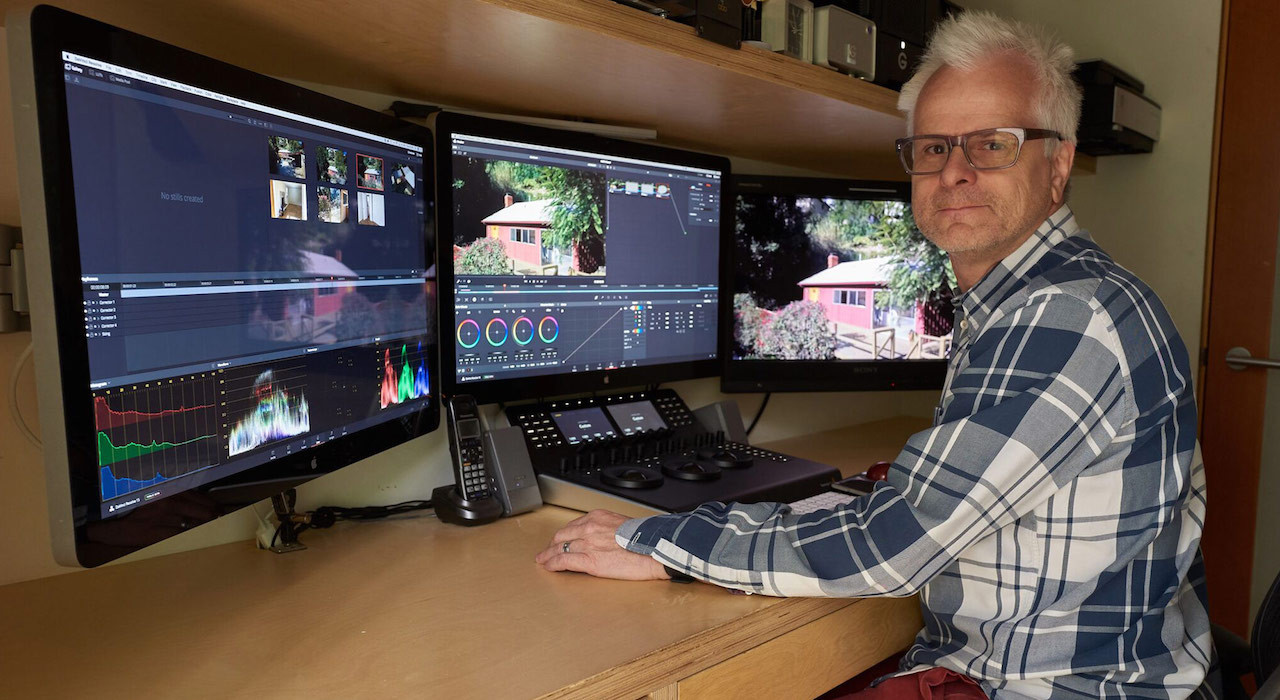
The Oscar-winning director of photography Claudio Miranda (ASC), winner of an Oscar for life of pi, uses DaVinci Resolve Studio and the DaVinci Resolve Mini Panel Blackmagic Design for editing and color correction as part of his work as a cinematographer, as well as in his personal projects.
Known for his film work with hits such as Tomorrowland, Oblivion, The Curious Case of Benjamin Button, as well as his work on a variety of short films, spots and music videos, Miranda noted that it is important to him as a cinematographer understand color correction and editing.
"I like to test cameras. For me it's more intimate to treat the footage alone. To see over and under exposure, highlight details, color in highlights and shadows. I really know the capabilities of cameras and their capabilities in digital intermediation. Over the years, I've spent a lot of time alongside colorists and learned a lot from them. I always ask questions, and I find that DaVinci Resolve Studio is very intuitive“.
During a recent advertising shoot for car manufacturer Infinity, Miranda relied heavily on DaVinci Resolve Studio and DaVinci Resolve Mini Panel on set. "We used a rear projection screen for the background of the interior shots and some exterior shots around the vehicle, and the speed of DaVinci Resolve Studio really helped. I was adding blur, vertical blur, multiple power windows, checking the lighting and sending signals to the dimmer operator, positioning and perspective correction," says Miranda.
"Each of the windows in the car had a slightly different tint, so I created a Power Window for each of them, correcting the differences in color and luminance. Fresh from recording the shot I was removing or adding lighting inside the vehicle. This all had to be done while we were shooting. The only time I had to cache was when we were using more than one type of blur, and overall, the whole system was very fast. The client and director were impressed by the flexibility of DaVinci Resolve Studio and how well it worked,” he admits.
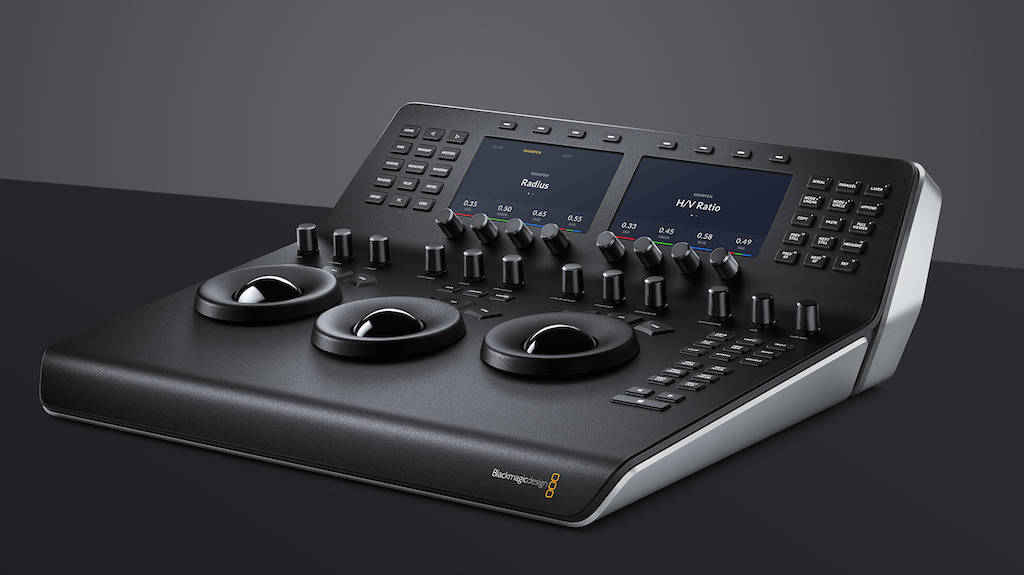
Mini Panel DaVinci Resolve
Completing Miranda's workflow Miranda has the Mini Panel DaVinci Resolve, as well as capture and playback devices UltraStudio Express y UltraStudio 4K Extreme 3. “I love the DaVinci Resolve Mini Panel,” he added. "I can work much faster with it and I can adjust much better with the physical wheels. I also really like how I can go from editing to color grading quickly."
In addition to her work on set, Miranda also has a system in her studio that she uses for testing, pre-production shooting, and color references for larger projects, as well as her own personal projects, all of which are edited and graded in DaVinci Resolve Studio.
"Initially, I was using another program to edit and then put it into DaVinci Resolve Studio, but why use multiple solutions? Also, as a cinematographer I can't stand looking at images that are not color corrected, so working in a program that I can bounce between editing and color grading is a great workflow for me," acknowledges the cinematographer.
“I like working in RAW to see the full capabilities of the camera, and I can even edit in RAW with DaVinci Resolve Studio. I find it so quickly that I don't really need to make proxies. I especially love the stabilization tools. If I need to zoom in, it is good to try the original files to see where the zoom starts to jump,” Miranda concludes.
Did you like this article?
Subscribe to our NEWSLETTER and you won't miss anything.
Related articles
 Blackmagic updates DaVinci Resolve Studio with Apple Immersive format in mind
 '1 For All' relies on Blackmagic Design and DaVinci Resolve cameras
 DaVinci Resolve Studio takes on the darkness of 'Barbarian'
 DaVinci Resolve Studio finishes ‘Ms. Marvel' with a very particular aesthetic
 DaVinci Resolve Studio, axis of the completion of 'Writing With Fire'
 SoKrispyMedia produces popular video with Blackmagic Cloud and DaVinci Resolve Studio 18
SoKrispyMedia produces popular video with Blackmagic Cloud and DaVinci Resolve Studio 18
SoKrispyMedia produces popular video with Blackmagic Cloud and DaVinci Resolve Studio 18
 Artone Film in Tokyo installs Blackmagic's DaVinci Resolve Advanced Panel
 The Green Knight was graded with DaVinci Resolve Studio (Blackmagic Design)
‘The Green Knight’, etalonada con DaVinci Resolve Studio
The Green Knight was graded with DaVinci Resolve Studio (Blackmagic Design)
‘The Green Knight’, etalonada con DaVinci Resolve Studio
 ‘Gaey Wa’r’, graded with Blackmagic Design’s DaVinci Resolve Studio
'Gaey Wa'r', graded with Blackmagic Design's DaVinci Resolve Studio
‘Gaey Wa’r’, graded with Blackmagic Design’s DaVinci Resolve Studio
'Gaey Wa'r', graded with Blackmagic Design's DaVinci Resolve Studio
 Vanessa Taylor grades ‘The Protégé’ with DaVinci Resolve Studio (Blackmagic Design)
Vanessa Taylor etalona 'The Protégé' con DaVinci Resolve Studio (Blackmagic Design)
Vanessa Taylor grades ‘The Protégé’ with DaVinci Resolve Studio (Blackmagic Design)
Vanessa Taylor etalona 'The Protégé' con DaVinci Resolve Studio (Blackmagic Design)