





Blackmagic Design launches DaVinci Resolve 15 with powerful collaborative tools
La nueva actualización incluye efectos visuales, animaciones gráficas, herramientas de audio adicionales y cientos de mejoras y prestaciones solicitadas por editores y coloristas.
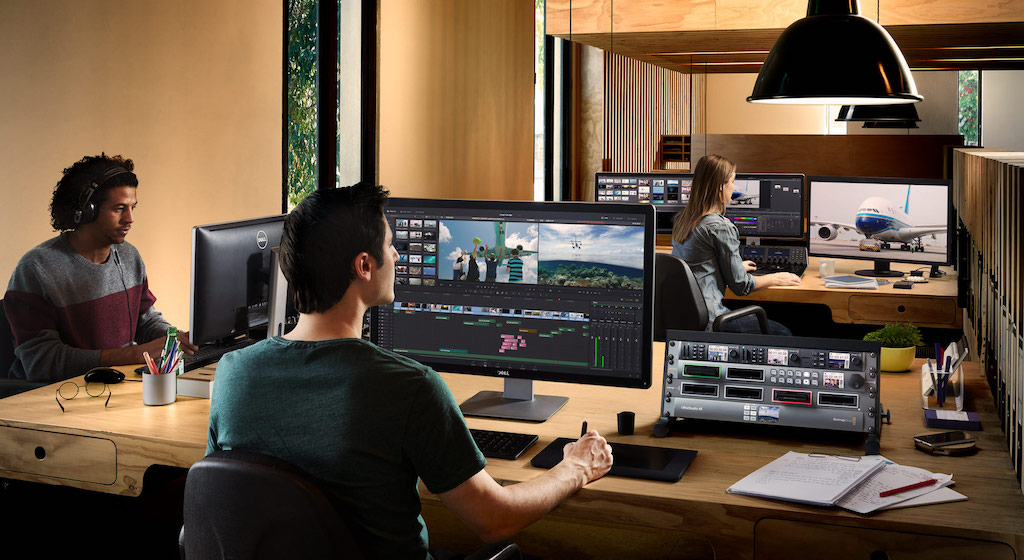
La versión final de DaVinci Resolve 15, el programa profesional de edición, etalonaje, efectos visuales, animaciones gráficas y posproducción de audio de Blackmagic Design, ya se encuentra disponible y puede descargarse de forma gratuita desde el sitio web del fabricante.
Durante los últimos meses numerosos usuarios han participado en el desarrollo de la versión beta, probando distintas dinámicas de trabajo con el programa, notificando errores y ayudando a que DaVinci Resolve 15 sea aun más confiable.
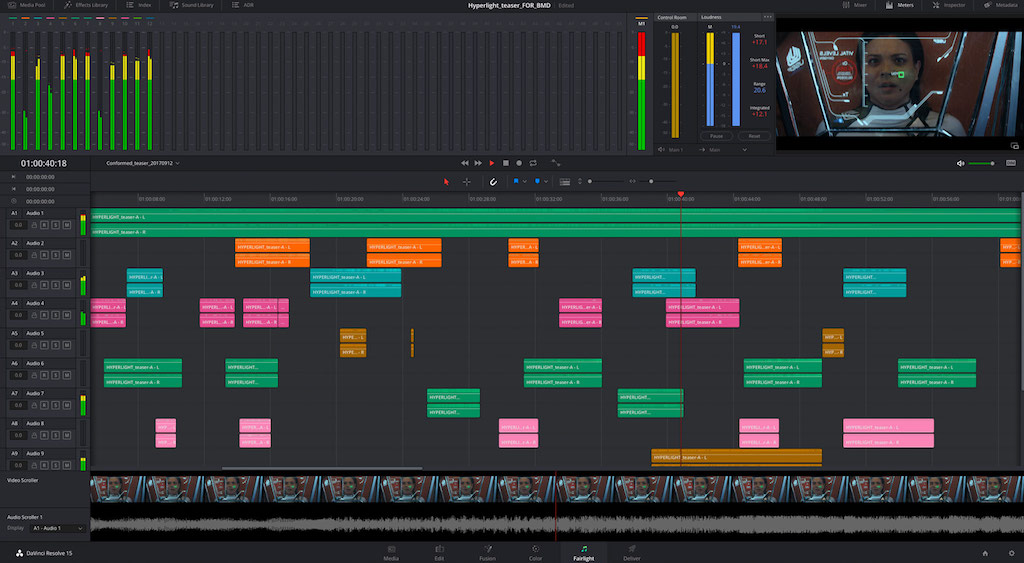 La nueva versión DaVinci Resolve 15 es una importante actualización que ofrece efectos visuales y animaciones gráficas. De esta forma, el programa se ha convertido en la única solución que integra estas prestaciones con herramientas de edición, etalonaje, posproducción de audio y colaboración entre varios usuarios. Incluye un módulo para Fusion con más de 250 funciones que permiten realizar composiciones, retocar imágenes, generar partículas, crear títulos animados y mucho más. Asimismo, se ha optimizado el módulo Fairlight y se han implementado más de 300 mejoras solicitadas por editores y coloristas.
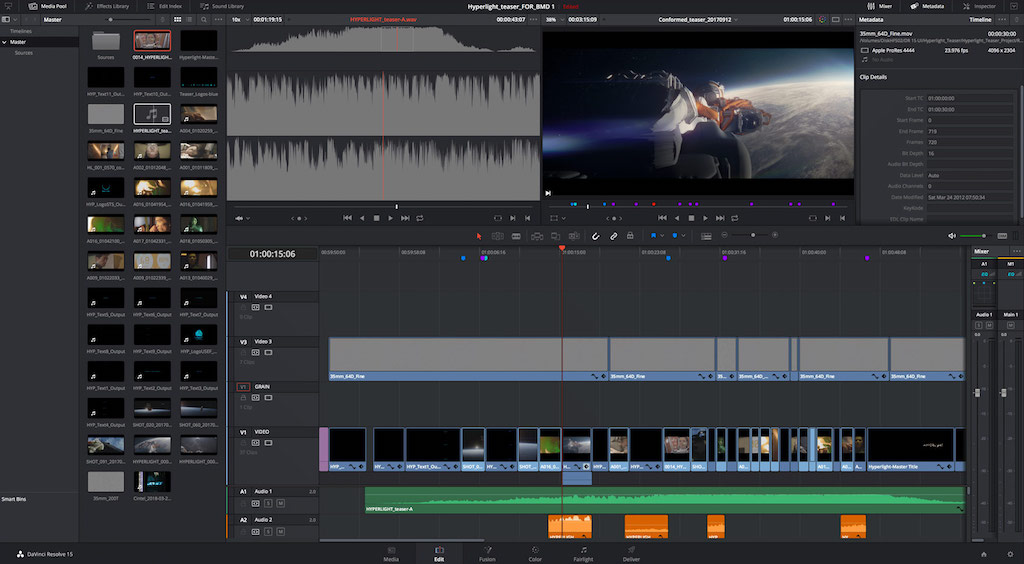
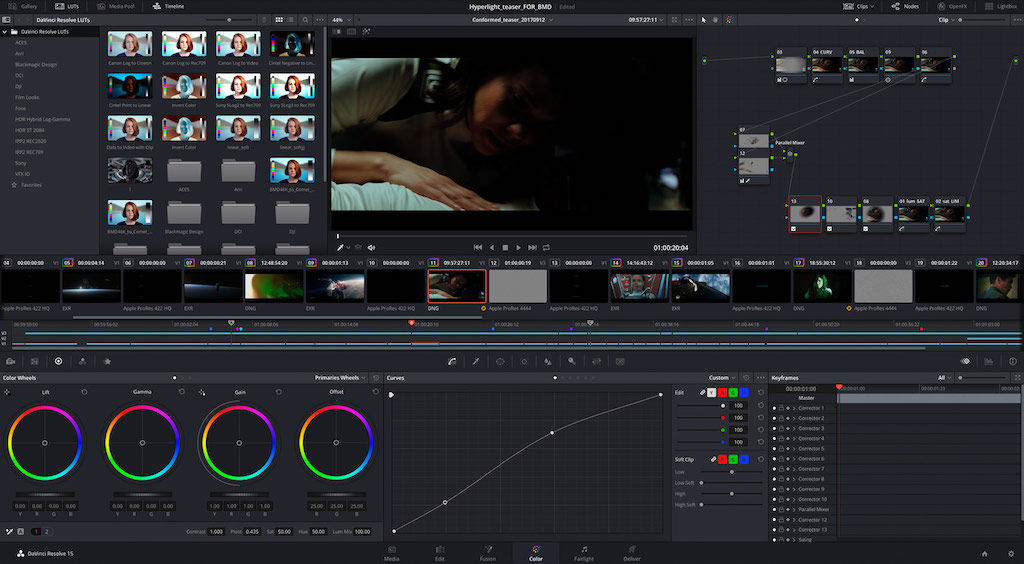
Esta solución continua revolucionando la industria de la posproducción audiovisual al integrar cuatro aplicaciones de alta gama en distintos módulos dentro de un mismo programa. El módulo Edición ofrece todas las herramientas que los editores profesionales precisan, mientras que el módulo Color brinda prestaciones avanzadas en materia de etalonaje.
Por su parte, el módulo Fairlight ha sido específicamente diseñado para la posproducción de audio, y el nuevo módulo Fusion dispone de todo lo necesario para crear animaciones y efectos especiales de calidad cinematográfica. Basta con un solo clic para alternar entre todas estas prestaciones. Esto proporciona al usuario una mayor flexibilidad creativa, dado que puede explorar distintas funciones y aprender a utilizarlas. A su vez, fomenta la colaboración entre diversos artistas que pueden trabajar simultáneamente en el mismo proyecto.
Gracias a todas estas herramientas innovadoras, DaVinci Resolve 15 Studio fue galardonado este año con el prestigioso premio a la excelencia en ingeniería otorgado por la HPA (Hollywood Professional Association).
Agilizando la postproducción
DaVinci Resolve 15 agiliza significativamente la posproducción, puesto que ya no es necesario importar, exportar o trasladar el material audiovisual de una aplicación a otra, ni tampoco conformarlo al realizar cambios. Todo está integrado en el mismo programa.
Puede utilizarse para llevar a cabo trabajos profesionales y cuenta con más prestaciones que otras aplicaciones no gratuitas. Por su parte, la versión DaVinci Resolve 15 Studio ofrece además funciones de colaboración entre varios usuarios, herramientas para contenidos tridimensionales y de realidad virtual, decenas de filtros y efectos adicionales, renderización simultánea ilimitada y otras prestaciones avanzadas, tales como reducción de ruido espacial y temporal, a solo 299 dólares. No es necesario abonar licencias ni suscripciones anuales.
Grant Petty, director ejecutivo de Blackmagic Design, señala que “la versión beta pública de DaVinci Resolve 15 ha sido descargada más veces que cualquier otra en la historia del programa, los comentarios de los usuarios han sido increíbles, y más editores profesionales están adoptándolo con una rapidez nunca antes vista”.
“Los usuarios tienen acceso a un conjunto de herramientas de edición y recorte comparables con las de otros sistemas, a prestaciones avanzadas en materia de etalonaje, a una estación de trabajo de audio digital y ahora a la posibilidad de crear efectos visuales y animaciones gráficas. No solo no se parece a ningún otro programa disponible en el mercado, sino que también está redefiniendo las dinámicas de trabajo profesionales con múltiples usuarios en Hollywood y todo el mundo. Ahora distintos equipos de editores, coloristas y especialistas en sonido y efectos visuales pueden colaborar simultáneamente en un mismo proyecto usando una sola aplicación”, añade.
Nuevas herramientas DaVinci Resolve 15
- Mejoras en la renderización de clips con el códec H.264.
- Posibilidad de registrar el nombre del clip en las imágenes.
- Compatibilidad con formatos de texto HTML para subtítulos.
- Compatibilidad con plantillas para títulos 2D o 3D.
- Posibilidad de modificar la extensión de subclips desde la línea de tiempo en el módulo Edición.
- Nuevo ícono de recorte dinámico en la barra de herramientas con opciones para deslizar y desplazar.
- Posibilidad de editar datos para automatización de audio en el módulo Fairlight.
- Ajustes predeterminados y personalizados por el usuario en efectos FairlightFX.
- Posibilidad de crear bibliotecas de sonidos mediante bases de datos de DaVinci Resolve guardadas en el disco local.
- Posibilidad de aplicar efectos ResolveFX y OpenFX desde el módulo Fusion.
- Nueva opción para omitir ajustes cromáticos y Fusion disponible en todos los módulos.
- Posibilidad de copiar composiciones de Fusion y aplicarlas a otros clips.
- Posibilidad de modificar propiedades de recorte y archivos en nodos «MediaIn».
- Nuevos nodos «Saver» en el módulo Fusion.
- Posibilidad de aplicar franjas negras en clips en el módulo Color.
- Posibilidad de asignar diferentes colores a nodos en el módulo Color.
- Mejoras en la composición de imágenes con transparencias.
- Mejoras en el rendimiento del flujo óptico.
- Mayor compatibilidad DCTL y con efectos ResolveFX.
- Mejor capacidad de respuesta en controles OpenFX y ResolveFX superpuestos en el visor.
- Mayor compatibilidad con codificación de subtítulos opcionales CEA-708 en clips MXF OP1A.
- Compatibilidad con codificación de clips EXR con canal alfa.
- Posibilidad de importar el volumen modificado en clips de audio desde archivos AAF.
- Posibilidad de ver la interfaz también en francés y portugués.
- Mejoras en listas de códecs y formatos en el módulo Entrega.
- Supervisión en simultáneo de imágenes SDR y HDR para formatos Dolby Vision y HDR10+.
- Posibilidad de importar líneas de tiempo AAF con audio solamente.
- Compatibilidad con formato XML de Final Cut Pro X (versión 1.8).
Did you like this article?
Subscribe to our NEWSLETTER and you won't miss anything.
Related articles
 '1 For All' relies on Blackmagic Design and DaVinci Resolve cameras
 DaVinci Resolve Studio Collaborative Tools Make 'Soul Seeing Machine' Possible
 'Gaey Wa'r', graded with Blackmagic Design's DaVinci Resolve Studio
 The sound of ‘Magnificent Madness’, post-produced with DaVinci Resolve (Blackmagic Design)
 Blackmagic Design updates DaVinci Resolve to version 17.3
 ‘Chaogtu with Sarula’, edited with DaVinci Resolve by Blackmagic Design
 Blackmagic Design lanza DaVinci Resolve Speed Editor
 Blackmagic Design updates DaVinci Resolve with new Fairlight tools
 Blackmagic Design challenges the traditional way of working with DaVinci Resolve 16
 Blackmagic Design introduces more than thirty new functions in DaVinci Resolve 15.2
 Blackmagic Design announces availability of DaVinci Resolve 14
 Blackmagic Design Enhances DaVinci Resolve with CinemaDNG File Processing
 Blackmagic Design Releases Most Significant DaVinci Resolve Update Yet
 Blackmagic Design announces the release of DaVinci Resolve 10