





New features in Premiere Pro, After Effects and Adobe Frame.io
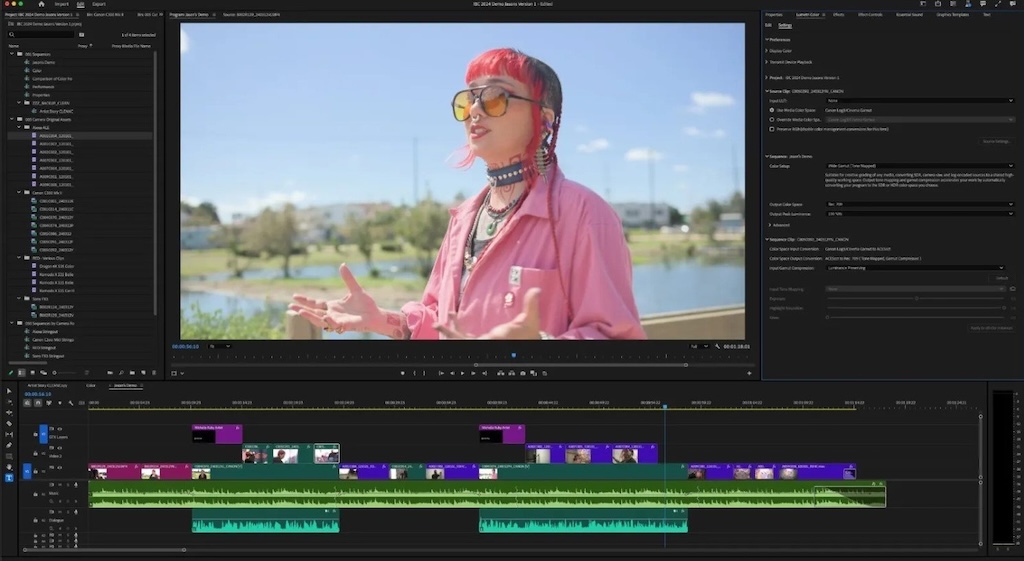
Adobe está demostrando en IBC 2025 las principales innovaciones que ha introducido en Premiere Pro, ahora con acceso a más de 90 efectos, transiciones y animaciones nuevos y modernos; After Effects, con su nueva herramienta Quick Offset que permite resaltar y desplazar la posición de varios fotogramas clave o capas con un simple clic y arrastre, y Frame.io que actualiza algunas funciones para un mayor control.
Premiere Pro 25.5 está a punto de recibir un gran impulso con nuevas funciones de animación, importantes mejoras en la edición de audio y la reproducción en la línea de tiempo, y un conjunto de optimizaciones adicionales que harán la vida más fácil a los editores.
El software de Adobe incluye ahora más de 90 efectos, transiciones y animaciones. Estas herramientas están impulsadas por la reciente adquisición de Film Impact por parte de Adobe, cuya valiosa biblioteca ahora está perfectamente integrada en Premiere Pro. Además, sus capacidades de animación incluyen mejoras que facilitan la vida, eliminan pasos y suavizan obstáculos. Una reproducción más ágil en la línea de tiempo, formas de onda más dinámicas y visuales, y una edición más fluida acelerada por GPU permiten al usuario mantener plena concentración de principio a fin.
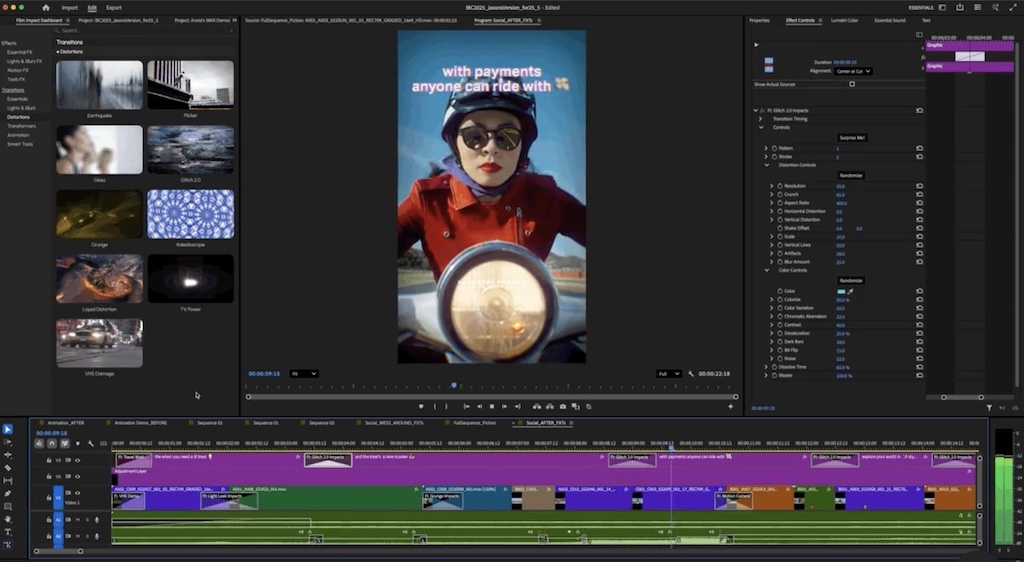
Este lanzamiento ha sido concebido por editores y para editores, con el fin de impulsar la imaginación, eliminar fricciones y dar más tiempo para centrarte en lo que más importa: contar grandes historias. Premiere mejora las ediciones con transiciones modernas, efectos cinematográficos y animaciones gráficas y de texto impresionantes diseñadas para editores profesionales, todo ello sin coste adicional. En cada transición, efecto y animación se puede ajustar y personalizar cada parámetro desde cero para obtener un control creativo total: desde realces luminosos hasta glitches dinámicos o cualquier efecto intermedio.
Todas ellas están aceleradas por GPU y se reproducen en tiempo real tan pronto como se arrastran y sueltan. Y seguirán reproduciéndose en tiempo real independientemente de los ajustes que realices.
En lo que a gradación de color se refiere, las texturas atmosféricas y la nueva biblioteca de efectos de Premiere Pro ayudan a llevar las imágenes al siguiente nivel más rápido que nunca. La colección de brillos, desenfoques y ecos te permite añadir bokeh fotorrealista, rayos volumétricos, halos brillantes y destellos deslumbrantes a tus clips. La última versión ofrece ajustar de forma independiente los canales rojo, verde y azul para corregir el color de la iluminación fluorescente. El usuario dispone de editores de curvas, selectores de color, aberración cromática, modos de fusión personalizados. Incluso permite añadir un efecto de movimiento de cámara tan realista que parecerá que las tomas con trípode se capturaron desde el hombro de alguien.
Desde el lanzamiento de Premiere Pro, arrastrar un clip en la línea de tiempo significaba mover un rectángulo vacío. Si quería comprobarse cómo afectaba la edición al audio, había que calcularlo a ojo hasta conseguir el resultado deseado. Ahora, con la aceleración en GPU, las formas de onda de audio permanecen visibles al arrastrar un clip o realizar tareas de edición habituales, como ediciones en cadena o ajustes de velocidad. Además, los fotogramas claves y los marcadores se muestran junto a la forma de onda al arrastrar un clip, lo que te ayuda a mantener la sincronización con los elementos clave de audio o visuales.
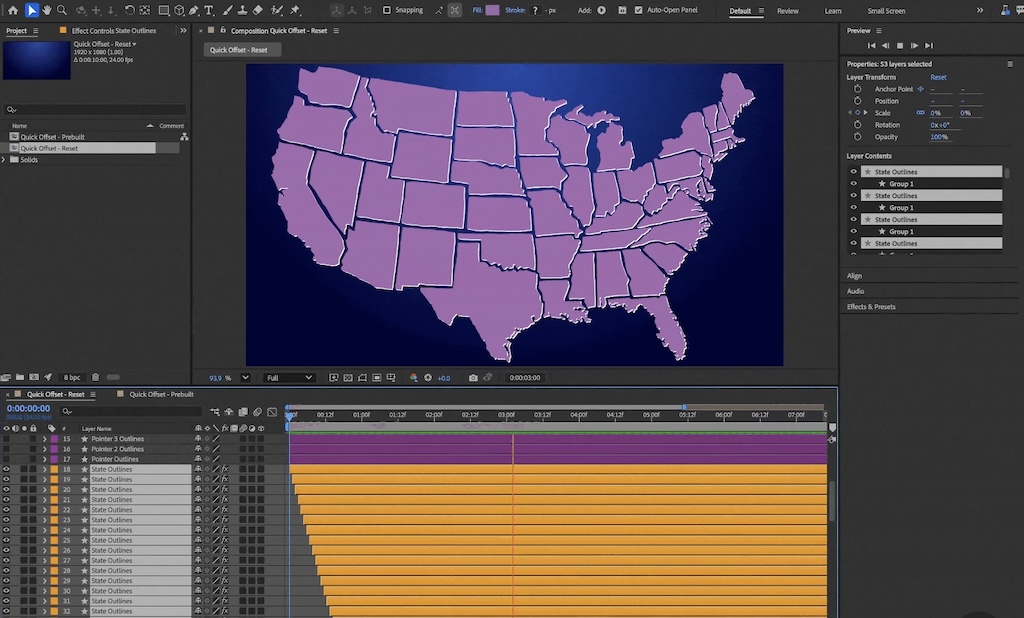
After Effects estrena la herramienta Quick Offset
Al igual que Premiere Pro, After Effects 25.5 añade un gran número de funcionalidades y mejoras de gran valor para los diseñadores de motion graphics profesionales.
En After Effects 25.5 Adobe presenta Quick Offset. Es una práctica herramienta que permite resaltar y desplazar la posición de varios fotogramas clave o capas con un simple clic y arrastre. No importa lo sencilla o compleja que sea la composición, puede ajustarse las relaciones temporales entre capas o fotogramas clave más rápido que nunca. Se acabó tener que hacer clic y desplazar capa por capa (una auténtica ventaja cuando se tienen decenas de ellas).
Acercar y ampliar tu composición para trabajar con detalle es algo que los diseñadores de motion graphics hacen todos los días. Con la navegación y zoom mucho más fluidos dentro del visor de composición se acilita enormemente los ajustes finos y la edición precisa a nivel de píxel. Adobe también ha mejorado el caching, que hacen que la previsualización y la reproducción sean aún más rápidas.
Finally, it should be noted that Frame.io ha actualizado algunas funciones para un mayor control. Entre las mejoras, se incluye la posibilidad de organizar recursos con metadatos a nivel de cuenta, automatizar flujos de trabajo creativos con APIs y conectores low-code/no-code, añadir subtítulos en segundos y contar con seguridad de nivel empresarial para compartir contenidos.
Did you like this article?
Subscribe to our NEWSLETTER and you won't miss anything.
Related articles
 Adobe brings Premiere to the iPhone
 Adobe explores the limits of AI at IBC 2023 with new betas of Premiere Pro and After Effects
 New AI and Automation Capabilities Coming to Premiere Pro, After Effects and Frame.io (Adobe) at NAB 2023
 Frame.io is now 100% compatible with Premiere Pro and Adobe After Effects
 Adobe Productions, a new tool to manage film projects in Adobe Premiere Pro
 Adobe introduces the Character Animator tool in After Effects CC
 Maxon actualiza Cineware para Adobe After Effects CC
 AJA RAW CION, now compatible with Adobe Premiere Pro CC
 Technicolor releases Color Assist version 1.5 with support for Adobe After Effects
 New direct 3D pipeline between Cinema 4D and Adobe After Effects
 New creative possibilities with the integration between Viz Media Engine and Adobe Premiere Pro CS6
New interchanger plugin for Cinema 4D and Adobe After Effects
New creative possibilities with the integration between Viz Media Engine and Adobe Premiere Pro CS6
New interchanger plugin for Cinema 4D and Adobe After Effects
 Adobe pone a la venta Adobe Photoshop & Premiere Elements 10
 Adobe at the BBC with Premiere Pro CS5