





Adobe Productions, a new tool to manage film projects in Adobe Premiere Pro
Now available for Premiere Pro users, a new tool designed to help production teams work more collaboratively and efficiently.
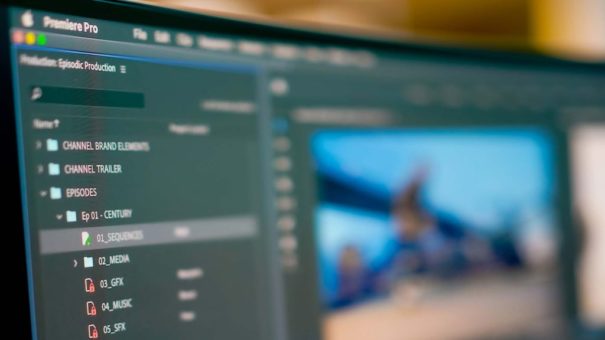
Adobe has worked closely with the filmmakers behind Terminator: Dark Fate, Dolemite is My Name, and David Fincher's upcoming film, Lack, to develop Productions, the new tool, now available, for Premiere Pro.
Early versions of the underlying technology were battle-tested in these films, giving them new tools to manage projects, share resources between them, and keep everything organized, both in individual and collaborative work.
When you have large or complex projects, Productions allows divide them into smaller pieces. For example, an editorial team working on a film can organize its workflow around reels and scenes. Recurring productions can be grouped by season, so it's easy to access other productions to retrieve things like title sequences or audio elements. Agencies can assign a production to each client, so they can quickly query and retrieve resources for existing projects.
The capacity of reference content for multiple projects allows you to reuse assets within Productions without having to create duplicates. This allows each project to be consistent and fluid.
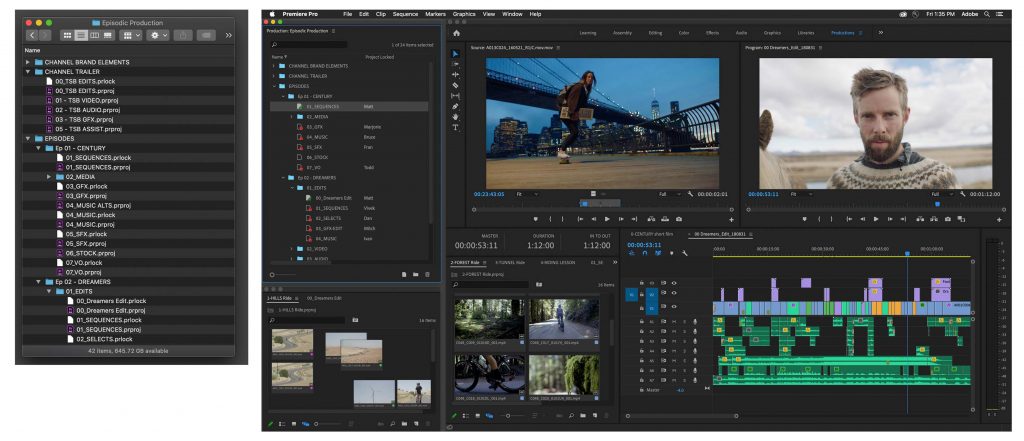
The new Production panel in Premiere Pro provides a command center for manage workflows for multiple projects. All projects added to the Production folder become part of it. Whether working on MacOS or Windows, any changes made to this folder are reflected in Premiere Pro; changes in Premiere Pro are applied directly to the Production folder. Productions keeps everything in sync.
Collaboration
Using shared local storage, multiple editors will be able to work on different projects within the same production. Locking projects ensures that no one rewrites your work: Colleagues can still access the project and copy its contents, but they can't make changes until you've finished editing.
All projects in a production share the same settings, including memory cards. This means that preview files rendered by an editor are available to all editors using that project, ensuring smooth playback and time savings for the entire team.
The Production panel offers a panoramic view of all projects and shows who is working on each of them so that both you and your team can follow their evolution.
With Productions, the user has full control of the content. Projects and resources can be stored entirely within your local network. Nothing will be in the cloud unless you decide it is. If necessary, you can do all the work without needing an Internet connection.
https://www.youtube.com/watch?v=mSz75aZXrzM
Did you like this article?
Subscribe to our NEWSLETTER and you won't miss anything.
Related articles
 Asharq TV chooses AEQ to manage the communications of its new mobile unit
 Adobe brings Premiere to the iPhone
 Generative Extension: Latest AI Innovation for Adobe Premiere Pro Debuts at NAB 2025
 Director of photography Jeff Berlin will bet on Cartoni for his next film projects
 Televisión de Galicia will participate in nine new film projects
 Atresmedia presents its next film projects at the San Sebastián Festival
 Audience development for film projects
 Adobe introduces the Character Animator tool in After Effects CC
 Ateme introduces AVC-I recording on Titan for ingest into Adobe Premiere Pro CC
 New Master in Cinematographic Projects from ECAM
 Filmarket Hub, the first European online marketplace for film projects
 Bluefish444 announces support for Adobe Creative Cloud and Premiere Pro CC
 Adobe pone a la venta Adobe Photoshop & Premiere Elements 10
 Adobe at the BBC with Premiere Pro CS5