





Blackmagic Design launches two new ATEM panels that offer more features for live productions
With an innovative design and cutting-edge technology, the new ATEM 2 M/E Advanced Panel and ATEM 4 M/E Advanced Panel are compatible with all mixers in the ATEM line.
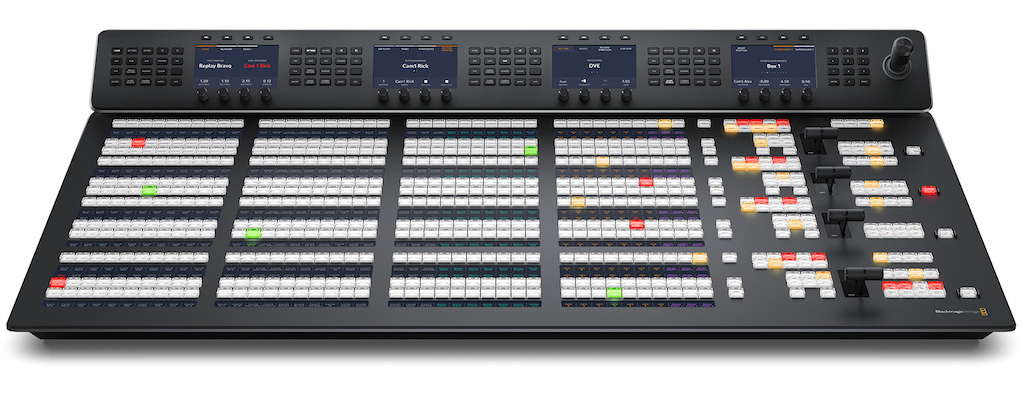
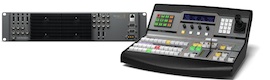
Blackmagic Design announced this Thursday, July 9, the new models ATEM 2 M/E Advanced Panel y ATEM 4 M/E Advanced Panel. These devices have an elegant design and are compatible with all mixers in the ATEM line. In addition, they include special controls, up to 4 mix and effects banks, 24 customizable LCD labels, 4 independent control screens y 4 levers for transitions, among other benefits. On the other hand, the structure of these models allows them to be built in or placed on desks.
These panels are ideal for the ATEM Constellation model, as they provide complete control to create more complex effects. Plus, the high-quality buttons and transition lever allow you to access all of the mixer's features simultaneously.
The model 1 M/E includes a mix bank with 10 buttons for sources and a control screen. Although it has only one bank, it allows you to control all the banks available on larger mixers. Buttons can be customized with different colors and LCD labels. In addition, it has a lever for digital visual effects and another for transitions.
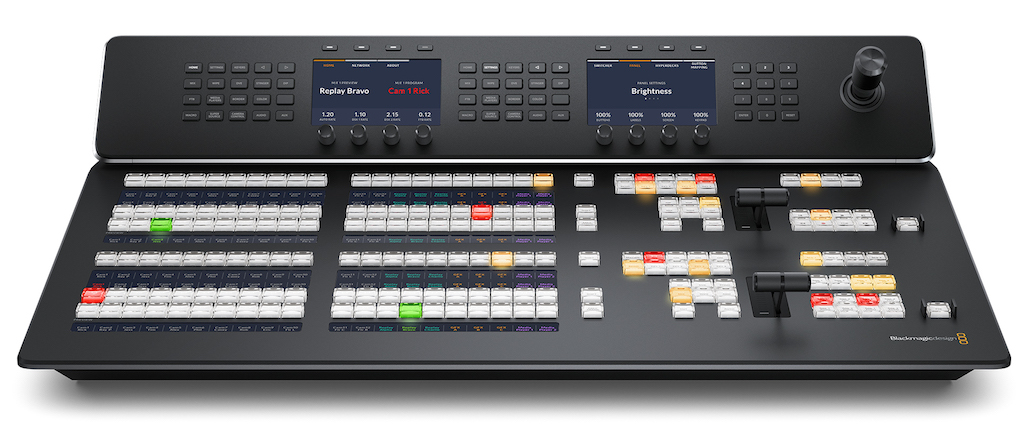
For its part, the model 2 M/E includes 2 mixing banks and effects with 20 source buttons and 2 independent control screens. Each bank can control up to four others on larger mixers and features LCD labels for customizing the buttons, as well as an independent selection bus.
In turn, The 4 M/E version is ideal for the features of the ATEM Constellation model, as it includes 4 mixing and effects banks with 40 source buttons and 4 independent control screens. In addition, it has 24 LCD labels to customize each button.
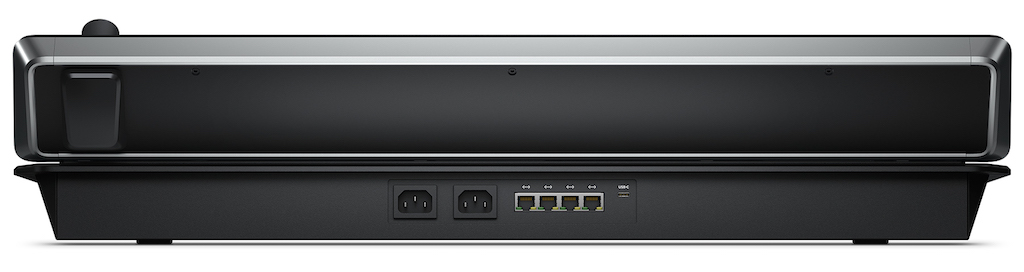
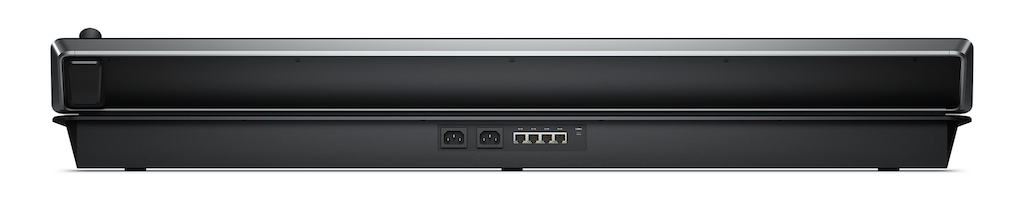 The ATEM Constellation model offers all the technology necessary to carry out live productions with multiple cameras. Separate buses for the main output and previews allow you to switch between different sources quickly and accurately. The mixer offers the possibility of viewing the previews on a monitor connected to one of the auxiliary outputs or through the simultaneous display function, in order to corroborate the images before broadcasting them to the air by pressing the CUT or AUTO buttons. Alternatively, a source can be selected on the program bus to transmit images immediately.
When selecting transitions, it is very easy to see the available options and adjust different parameters without having to access complex menus. This offers multiple alternatives when switching from one source to another. It is even possible to switch between different signals directly from the program bus. ATEM Advanced Panel models have all the controls necessary to make transitions quickly.
The ATEM line mixers offer a wide variety of transitions and various options to control them. For example, a curtain with a faded edge allows for a more interesting effect. It should be noted that when performing a fade, it is not only possible to select an intermediate color to go from one source to another, but also to any available signal. For their part, digital visual effects make it easier to move the image in the foreground. Additionally, the lever provides the opportunity to change the position of the transition.
In turn, the curtains can be modified to achieve surprising effects. In addition to selecting the shape of the curtain directly on the LCD screen, it is possible to change different parameters depending on the production style. In this sense, the joystick allows adjustments to be made with great precision.
ATEM control panels are ideal when using the simultaneous images function, since said lever facilitates its use. Additionally, controls and menus on the LCD screen make it easy to adjust other parameters, such as lighting and drop shadows. On the other hand, visual effects allow you to overlay moving graphics, and also select one of the predetermined transitions.
To this end, the ergonomic design of the panel lever allows for greater precision during the transmission of the show. Due to the emotion generated by live events, it is essential to create a certain intuition to make the transitions in a synchronized manner with the images captured by the cameras. Like a conductor, the person responsible for the mixer is part of the show and generates different moods as it develops.
The joystick allows move the elements displayed on the screen, making it easy to locate thanks to its three axes. In addition, it is ideal for overlaying a live signal on top of other images. Using this tool, it is possible to adjust the size of the windows or move them in any direction, in order to achieve extraordinary effects with simultaneous images. At the same time, it offers the possibility of establishing the start and end position using keyframes, with the aim of creating custom animations.
Great versatility
The control screens include a numeric keypad with buttons for each function and different controls. There are hundreds of parameters available for each composition, different types of transitions, digital visual effects and color generators. In addition, it is possible to convert formats, configure the simultaneous display function and assign inputs to different buttons. There is even the opportunity to save up to ten settings configurations. The 2 M/E model has two completely independent control systems, while the 4 M/E version has four.
 Another benefit that ATEM panels offer is the possibility of recording custom macros and execute them by pressing a button. In this way, it is not necessary to have additional computer equipment, since the same panel used to switch between the different cameras also allows you to activate macros. Below each button, the macro assigned to it is indicated.
Grant Petty, CEO of Blackmagic Design, "The new ATEM 2 M/E Advanced Panel and ATEM 4 M/E Advanced Panel are extraordinary, allowing you to control larger ATEM mixers, such as the ATEM Constellation 8K. With 24 LCD labels in the 4 M/E version, customizable colors, a host of controls and an innovative design, these panels offer a new range of features for live productions. We have strived to develop these cutting-edge devices, so our users can work faster and create innovative television studios.”
Main features
- Traditional work dynamics.
- Despite its portability, the 2 M/E model offers endless features.
- The 4 M/E model is ideal for larger mixers.
- Up to 40 font buttons with custom labels and colors.
- Transition control to quickly select different styles.
- The control screens allow you to quickly select different types of blinds.
- Transitions with visual effects whose position can be modified using the joystick.
- Lever for manual control of transitions.
- Independent control screen for each mix and effects bank.
- Possibility of executing macros directly from the selection bus.
Did you like this article?
Subscribe to our NEWSLETTER and you won't miss anything.
Related articles
 Sony debuts two new Trimaster HX 4K monitors for live production
 Sony reveals roadmap for Burano, which will be updated with new recording modes and features for live productions
 Pandastudio.tv launches sets for digital productions with Blackmagic solutions
 Blackmagic and Avacab offer a workshop on live production with ATEM SDI switchers
 Terrible Producciones creates a sports streaming workflow with Blackmagic Design solutions
 Ross launches Living Live, the community for those who work on live productions
 Laurel Canyon Live uses Ultimatte and Atem Constellation 8K to stream live virtual productions
 Blackmagic launches ATEM Mini Pro, its new mixer with 4 HDMI inputs
 Dayglo Presents uses Blackmagic Design devices in live and streaming productions
 Transmisjelive broadcasts live for the Polish Football Association with Blackmagic Design
 Atomos launches four new monitors / recorders specially designed for HDR productions
 Los nuevos mezcladores Allen&Heath de la serie Qu Chrome ofrecen altas prestaciones en mezcla digital en un equipo compacto
 Teradek launches new wireless links with greater features
 Blackmagic Design updates ATEM software