





Blackmagic Design updates DaVinci Resolve to version 17.3
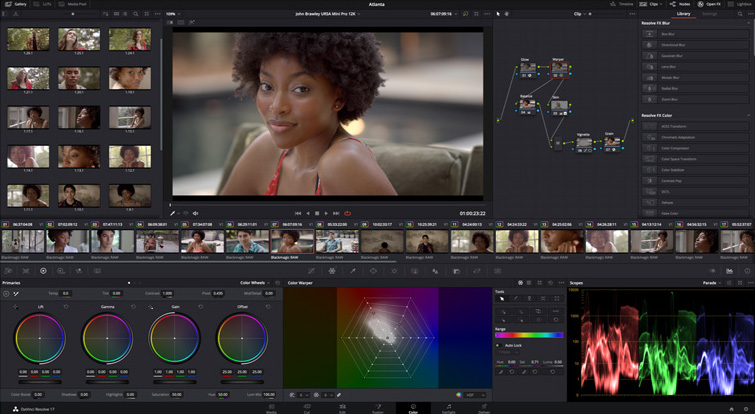
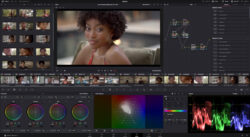
DaVinci Resolve version 17.3, development of Blackmagic Design, although it focuses on the M1 chip of Apple, brings many other new features.
Thanks to new chip compatibility M1 from Apple, DaVinci Resolve offers three times faster processing compared to the previous version of the software Blackmagic Design. This improvement allows you to play, edit and grade 4K images more quickly and even work on 8K projects with said computing equipment. Also, thanks to the tiled rendering of the new rendering engine, the program consumes a 30% less battery life in laptops.
Likewise, Mac users with M1 chips will be able to encode in H.265, prioritize speed to reduce rendering time “up to 65%” and decode files AVC-Intra using the decoder included in the Apple chip.
Version 17.3 improvements
The latest version of Blackmagic Design software includes many other new features. Among them, we find new grid shapes and greater control when using the pixelated blur, allowing you to fine-tune the intensity and appearance of this effect. On the other hand, the exclusion masks feature rotation controls to hide unwanted objects, while new settings for saturation and midtones in the Brightness plugin offer the ability to precisely modify lighting effects. In turn, the controls for anamorphic aperture allow simular una gama más amplia de objetivos.
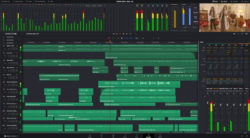
Module latency has also been improved Fairlight with new drivers that allow the buffer to be adjusted, providing the opportunity to optimize processing for specific equipment, making recording and playback easier. In addition, it is now possible to export clips or tracks directly from this module, including audio levels, fades, equalizations and effects or iXML metadata, as well as normalize clips according to different loudness standards. This makes it easier to transfer the audio to other more complex projects or its subsequent processing.
Constant updating
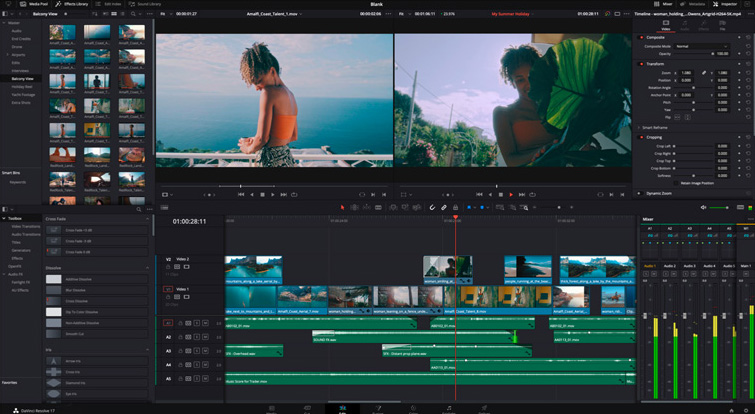
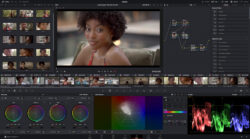
Today, DaVinci Resolve 17 includes more than 300 innovative features including HDR color grading, redesigned primary color controls, a next-generation Fairlight audio engine capable of processing 2,000 tracks in real time, and dozens of tools such as the new inspector, clip metadata visualization, and a “revolutionary” way to organize bins.
Grant Petty, CEO of Blackmagic Design, details the main new features of the software: "This extraordinary and free update brings great benefits in terms of operation and energy efficiency to Mac computers with M1 chips, significantly improving their performance. There has not been such a surprising increase in speed since the transition of the original 68000 units to personal computing equipment in the 1990s. A year ago, no one would have thought that it would be possible to play and edit multiple 4K signals on a MacBook computer, but now, thanks to DaVinci Resolve and the M1 chip, "It's very simple. Our engineering team has been working hard on this new image processing engine, and it's exciting to be able to develop software for Mac computers."
Key Features of DaVinci Resolve Version 17.3
Powered by Apple Silicon
- New three times faster processing engine for editing and grading in 8K.
Fairlight module
- Improved latency and buffering settings when processing fonts.
- Better export options including naming, metadata, and format control.
- Selecting clips on the timeline from the log.
- Timeline scaling improvements.
- Organization of buses by dragging them in the track registry.
- New options for audio input and output devices and the ability to select them independently.
- Improvements in the combination of tracks in LRC, 5.0 and 7.0 formats.
- Improved editing, panning, and fading of linked clips.
Color Module
- Chromatic distortion supported at default grid resolutions.
- HDR chromatic controls compatible with preset zones.
- Ability to switch between active heads by clicking on the split screen.
- New controls for the “Aperture Diffraction” plugin (Studio version only).
- New shapes and more precise controls in the “Pixelated Blur” plugin.
- New rotation controls for exclusion masks.
- New controls for saturation and midtones in the “Brightness” plugin.
Assembly Module
- Organization of lists by columns in the multimedia panel.
- New indicator to make it easier to identify still images on the timeline.
Editing Module
- Ability to match edits in subclips to the original material based on frames.
- Rotating transitions with geometric shapes and circular curtains from the inspector.
- Selecting adjacent frames when choosing transitions.
- Ability to maintain the head position when adding subtitles to view the text.
- Ability to rename composite clips.
- Ability to rename Fusion compositions from the inspector.
- Options to name and use entire clips when creating a subclip.
Fusion Module
- Installing DRFX packages on Windows and Linux by double-clicking them.
- Viewing the node type by pressing the Ctrl/Cmd, Shift, and E keys simultaneously.
Codecs and Delivery Module
- Support for audio encoding using the development tools.
- Faster decoding of AVC-Intra files with Apple Silicon.
- Encoding and decoding of JPEG-HT .JPH sequences.
- Improvements in decoding H.264 and H.265 files on Intel Windows systems.
- Improved H.265 encoding for faster speed on Apple Silicon systems.
- Decoding MKV clips with VP9 codecs.
- Improvements in decoding MKV clips with AAC and AC3 audio.
- Integration of MPEG2 bitstreams into XDCAM clips.
General
- Faster startup when using databases with multiple projects.
- Simplified database creation and connection.
- Processing nested clips when importing AAF files.
Did you like this article?
Subscribe to our NEWSLETTER and you won't miss anything.
Related articles
 Blackmagic updates DaVinci Resolve Studio with Apple Immersive format in mind
 Blackmagic updates DaVinci Resolve to version 19.1: more effects in Fusion, custom curves...
 Blackmagic actualiza ATEM Constellation 8K (9.3.3.), DaVinci Resolve (18.6.6) y Cloud Store (1.2)
 '1 For All' relies on Blackmagic Design and DaVinci Resolve cameras
 Blackmagic Boosts Mac Support and RAW Processing in DaVinci Resolve Version 17.4
 Blackmagic Design updates DaVinci Resolve to version 17.3
 ‘Chaogtu with Sarula’, edited with DaVinci Resolve by Blackmagic Design
 Blackmagic adds more than 300 new features to the new version 17 of DaVinci Resolve
 Blackmagic Design lanza DaVinci Resolve Speed Editor
 Blackmagic Design updates DaVinci Resolve with new Fairlight tools
 Blackmagic Design accelerates editing, grading and effects creation with the new version of DaVinci Resolve
 Blackmagic Design announces availability of DaVinci Resolve 14
 Blackmagic Design announces the release of DaVinci Resolve 10
 Blackmagic updates DaVinci Resolve to support new Retina displays