





Blackmagic Design updates DaVinci Resolve with new Fairlight tools
La actualización 16.2 de DaVinci Resolve permite realizar una posproducción de audio económica simplemente usando el teclado y el mouse.
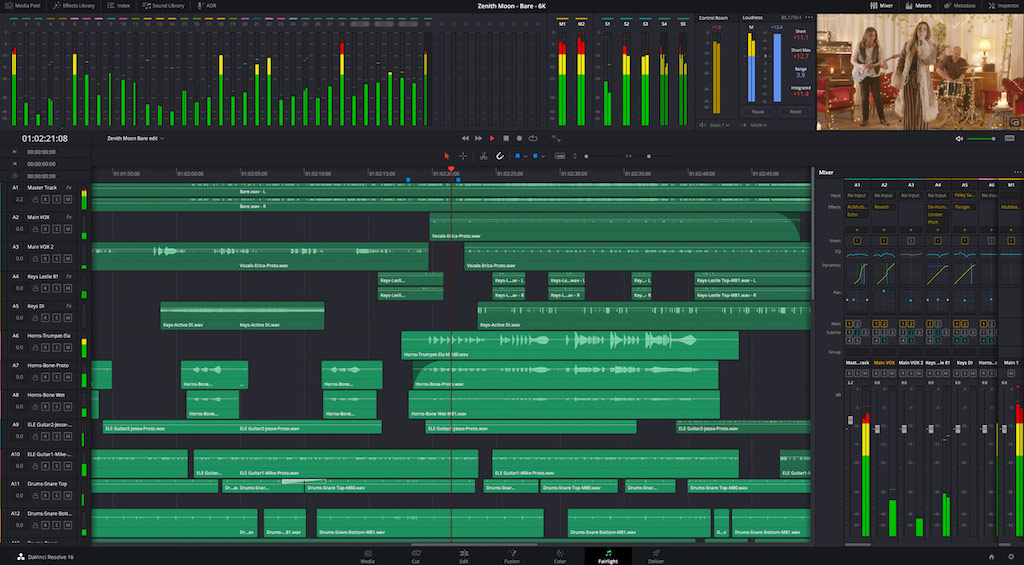
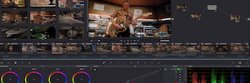
Blackmagic Design ha lanzado la versión 16.2 de DaVinci Resolve. Se trata de una actualización de su popular programa de edición, etalonaje, efectos visuales y posproducción de audio que incluye importantes herramientas en el Fairlight module.
Asimismo, cuenta con mejoras generales de edición y corrección cromática, y se recomienda a todos los usuarios.
Esta actualización ofrece importantes mejoras para editar en la línea de tiempo del módulo Fairlight usando el mouse y el teclado. Esto se debe a que el nuevo modo de selección de edición habilita funciones que previamente se encontraban solo disponibles a través de la consola de audio Fairlight, por lo que a partir de ahora la edición es mucho más rápida.
Además, dicho modo permite agregar fundidos, cortes e incluso mover clips de lugar haciendo clic con el mouse, y con las nuevas formas de onda redimensionables es posible utilizar el zoom sin necesidad de ajustar el volumen. Por su parte, la opción de exportar (bounce) permite renderizar un clip con efectos de audio personalizados directamente desde la línea de tiempo en el módulo Fairlight.
Ahora, es más sencillo agregar múltiples clips a la línea de tiempo, ya que puede hacerse también verticalmente y no solo de modo horizontal, facilitando así la adición de varias pistas de audio a la vez. Además, ya no es necesario cambiar los clips manualmente y reimportarlos, puesto que las pistas multicanal pueden convertirse en grupos vinculados directamente en la línea de tiempo. Asimismo, se ofrece una opción para editar en los límites de los fotogramas, lo cual mejora la compatibilidad de archivos exportados para su entrega a la industria del cine y la televisión. Este modo de edición es muy preciso, porque permite recortar en el principio y final de los cuadros sin necesidad de aumentar el zoom para verlos en la línea de tiempo.
Por otro lado, la actualización brinda compatibilidad con teclas modificadoras, por consiguiente los clips pueden duplicarse usando el mouse y el teclado, e incluso copiarse con facilidad a distintas líneas de tiempo.
La versión 16.2 de DaVinci Resolve incluye, la biblioteca de sonidos Blackmagic Fairlight, donde es posible realizar búsquedas según metadatos, por lo que los usuarios pueden encontrar efectos aunque no sepan el nombre del archivo. Los resultados mostrarán tanto el nombre como la descripción, de modo que dar con el efecto de sonido perfecto es más rápido y sencillo que nunca.
Al mismo tiempo, se ordenan automáticamente separándolos primero por categoría, y a continuación de acuerdo con los complementos, si son nativos o proporcionados por terceros. Además, pueden marcarse como favoritos y se moverán al principio de la lista, facilitando aún más su búsqueda.
Por otro lado, ofrece la posibilidad de crear buses de audio para lograr sonido inmersivo MPEG-H 3D, así como de monitorizar dinámicas de trabajo. De manera adicional, las mejoras en el comportamiento de la distribución y del balance del audio permiten limitar la primera.
También se incluye una gran cantidad de optimizaciones en el panel “Registro” del módulo Fairlight. Este funciona del mismo modo que en el resto de módulos. Este ofrece una lista de todos los archivos empleados y basta con hacer clic sobre un clip para localizarlo en la línea de tiempo. El registro de pistas ahora permite aislar, silenciar o grabar, así como activar o desactivar el control de visibilidad en múltiples pistas al mismo tiempo al hacer clic y arrastrar el mouse por las mismas. Este método permite también reorganizarlas, ya sea de manera individual o en grupo.
Esta actualización brinda asimismo mejoras al importar y exportar archivos AAF, de manera que las secuencias de dichos archivos pueden integrarse directamente en la línea de tiempo que está en uso. Por otro lado, si el proyecto está configurado con una escala de tiempo distinta, los datos AAF pueden importarse con un valor de compensación a fin de que coincidan. Los archivos AAF con múltiples canales serán reconocidos como un grupo vinculado de manera automática, y además es posible exportarlos en códecs compatibles con la forma de onda. Por otra parte, los archivos AAF exportados de Fairlight tendrán integrados los fundidos de audio con el propósito de que sean detectados en otras aplicaciones.
En cuanto a los usuarios tradicionales de Fairlight, esta actualización proporciona mejoras relevantes al importar proyectos antiguos. Entre ellas se ofrece una mayor velocidad al abrir trabajos con más de 1000 archivos multimedia, es decir, se importarán más rápidamente.
Mezcla de audio
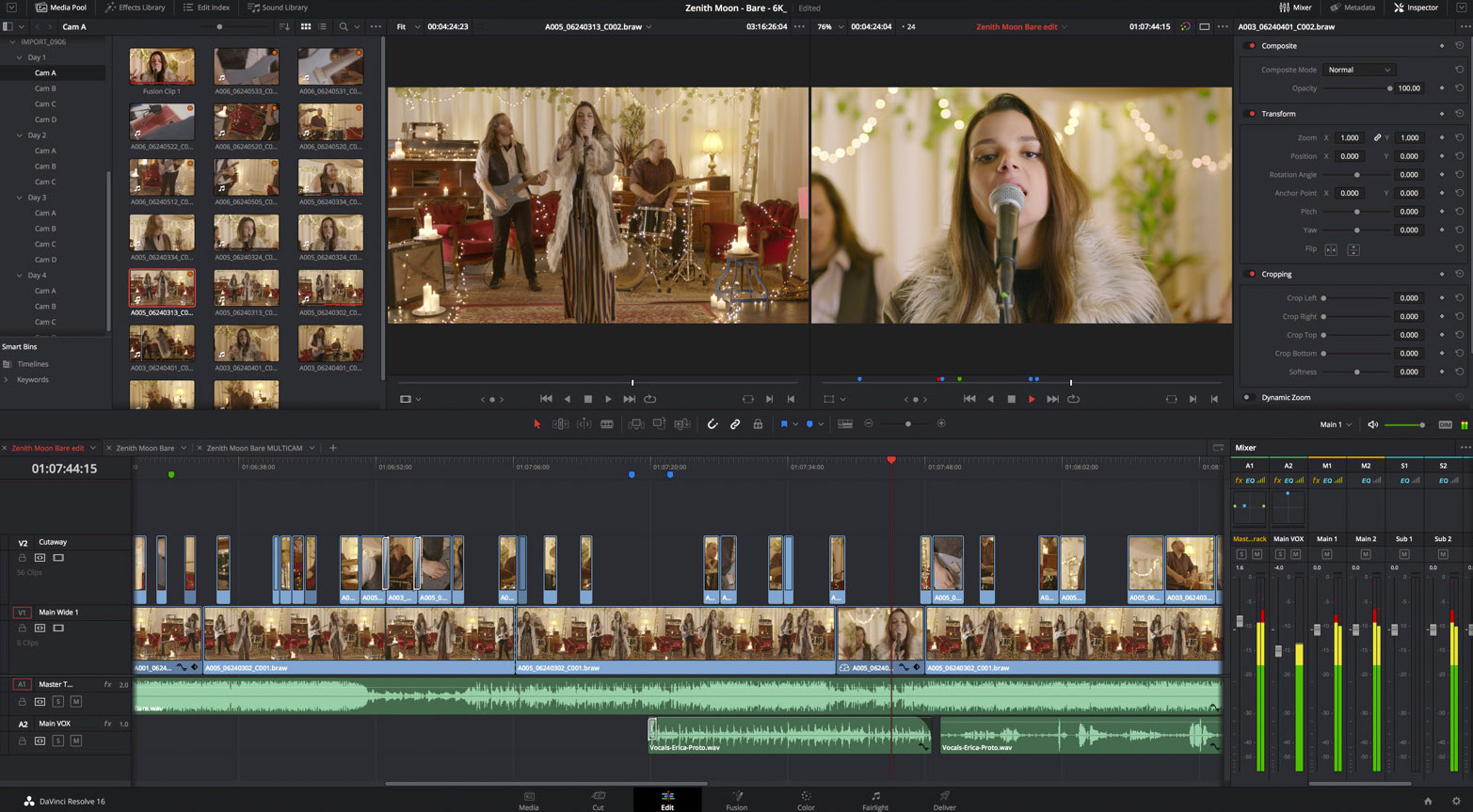
Al mismo tiempo, este nuevo software optimiza las mezclas de audio, gracias a una nueva curva de ecualización predeterminada en el inspector para el clip que permite eliminar frecuencias indeseadas. Los filtros FairlightFX incluyen un complemento innovador que agrega un medidor flotante a cada pista o bus, a fin de monitorizar los niveles de audio, aunque el mezclador esté cerrado. Cuenta además con un filtro LFE diseñado para atenuar las frecuencias más altas al mezclar los efectos con frecuencias bajas de ambiente.
Por su parte, se han optimizado las dinámicas de trabajo con sonido inmersivo desde una consola de audio Fairlight, y ahora incluye controles dedicados para su ubicación en el espacio. La ecualización del clip ahora puede modificar en el inspector desde la consola. Además, las funciones para copiar y pegar han sido optimizadas, por lo que trasladan todos los atributos, inclusive los ajustes de ecualización, automatización y ganancia. Cabe destacar también que los ingenieros de sonido cuentan con la oportunidad de configurar su dinámica de trabajo preferida, así como de crear y aplicar sus ajustes predeterminados para la ecualización del clip. Incluso se pueden agregar o personalizar complementos con el propósito de brindar un acceso más rápido a las herramientas más usadas.
Los niveles del clip no solo se pueden modificar de manera relativa, lo que ofrece la oportunidad de ajustar la ganancia general a la vez que se respetan la configuración existente, sino que también pueden reiniciarse a 0 dB fácilmente al eliminar cualquier ajuste previo. Por su parte, es posible eliminar de manera rápida los fundidos directamente desde consola de audio Fairlight, así como los ingenieros de sonido tienen la posibilidad de guardar la vista preferida de la pista con el objetivo de no tener que crearla de nuevo. No obstante, se puede acceder a funciones que antes solo estaban disponibles mediante el teclado usando el panel, inclusive la edición por capas. Lo que significa que las curvas de automatización también pueden seleccionarse a través de los dispositivos externos.
Continuando con las numerosas optimizaciones en el módulo Fairlight, también se han actualizado los controles de reproducción de la consola de audio. El desplazamiento por las pistas ha sido mejorado e incluso es posible aunque no haya ninguna seleccionada. Permite acceder directamente a la ventana del código de tiempo situada sobre la línea de tiempo desde consola de audio. Además, no solo es compatible con frecuencias de imagen altas, sino también con valores relativos a la posición actual del cabezal, por lo que este puede desplazarse basándose en el lugar donde se encuentra y no en el código de tiempo.
Incluso ahora es posible utilizar la tecla de la coma (,) en lugar de tener que introducir con el teclado 00. El control principal de los atenuadores en la consola permite colocar todas las pistas en un bus de manera que es más sencillo realizar ajustes rápidos en la mezcla. Asimismo, se ha aumentado la precisión de los mandos giratorios en el panel y al usar el mouse con teclas modificadoras. Por otro lado, los usuarios pueden cambiar el modo de visualización seleccionando los íconos o rótulos con solo texto en la consola de audio Fairlight. Incluso existe una opción para los que están acostumbrados a la interfaz tradicional. El desplazamiento por la línea de tiempo es más rápido, puesto que es posible emplear las flechas izquierda y derecha, a fin de mover el cabezal hacia delante o atrás.
Módulo edición
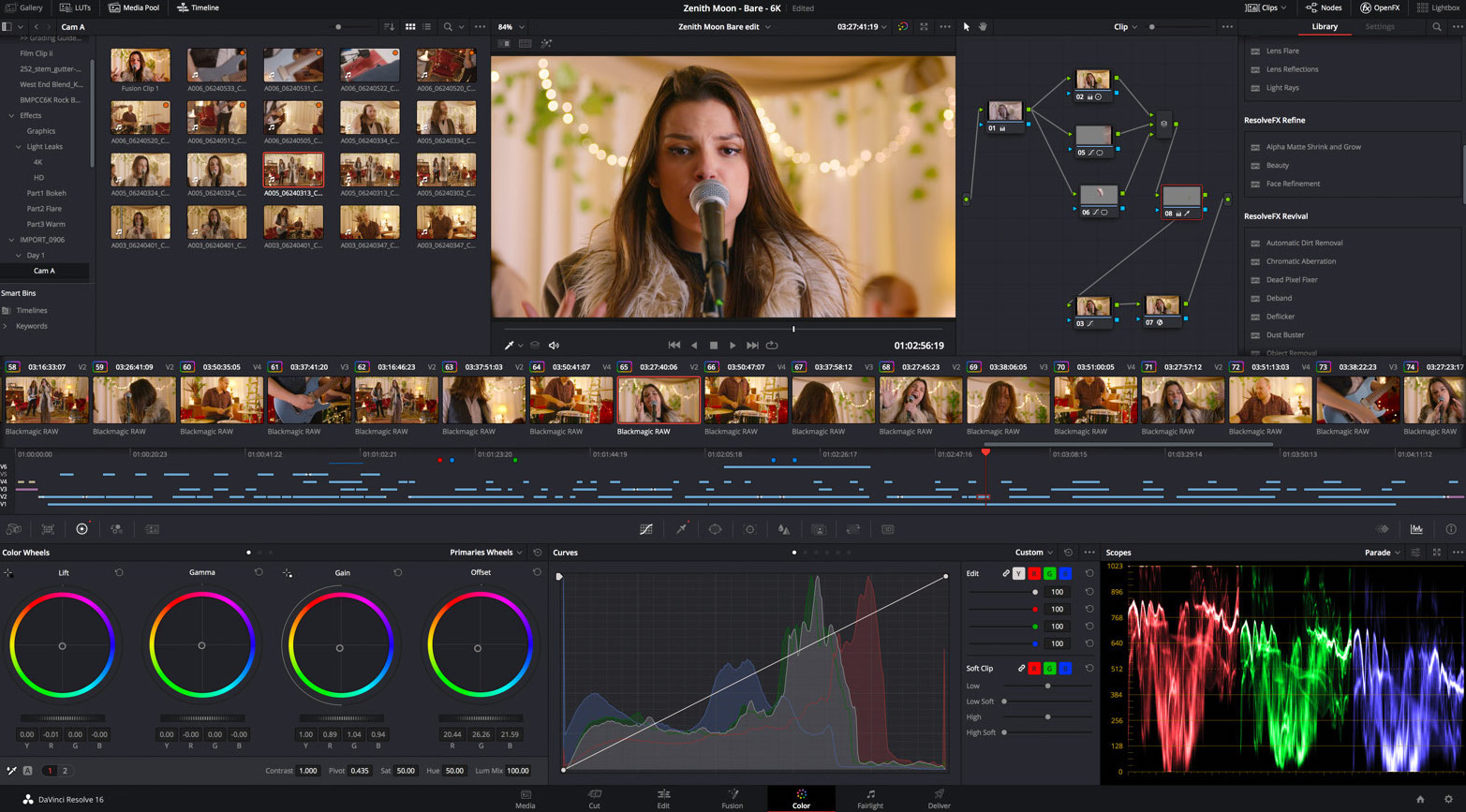
Por último, esta actualización de DaVinci Resolve brinda también optimizaciones en el módulo Edición, por ejemplo, una mayor agilidad al cargar y alternar entre líneas de tiempo mejorando su rendimiento al trabajar con numerosas pistas de audio; o la posibilidad de crear clips compuestos a partir de puntos de entrada y salida, de manera que las personas responsables de la edición pueden ser más selectivas con los archivos que quieren emplear en dicho módulo. Asimismo, ofrece compatibilidad con la previsualización de la línea de tiempo de audio cuando se realizan una edición de sobrescritura de imágenes. Por otro lado, al recortar la duración se reflejará en tiempo real en la del clip, por lo que los usuarios pueden determinar un tiempo específico. Cuenta también con una ventana para cambiar la duración de una transición.
He panel multimedia ahora permite introducir metadatos en archivos de audio que contienen hasta 24 canales integrados. Por otro lado, es posible duplicar clips y líneas de tiempo en la misma bandeja mediante la combinación de teclas para copiar y pegar, respectivamente.
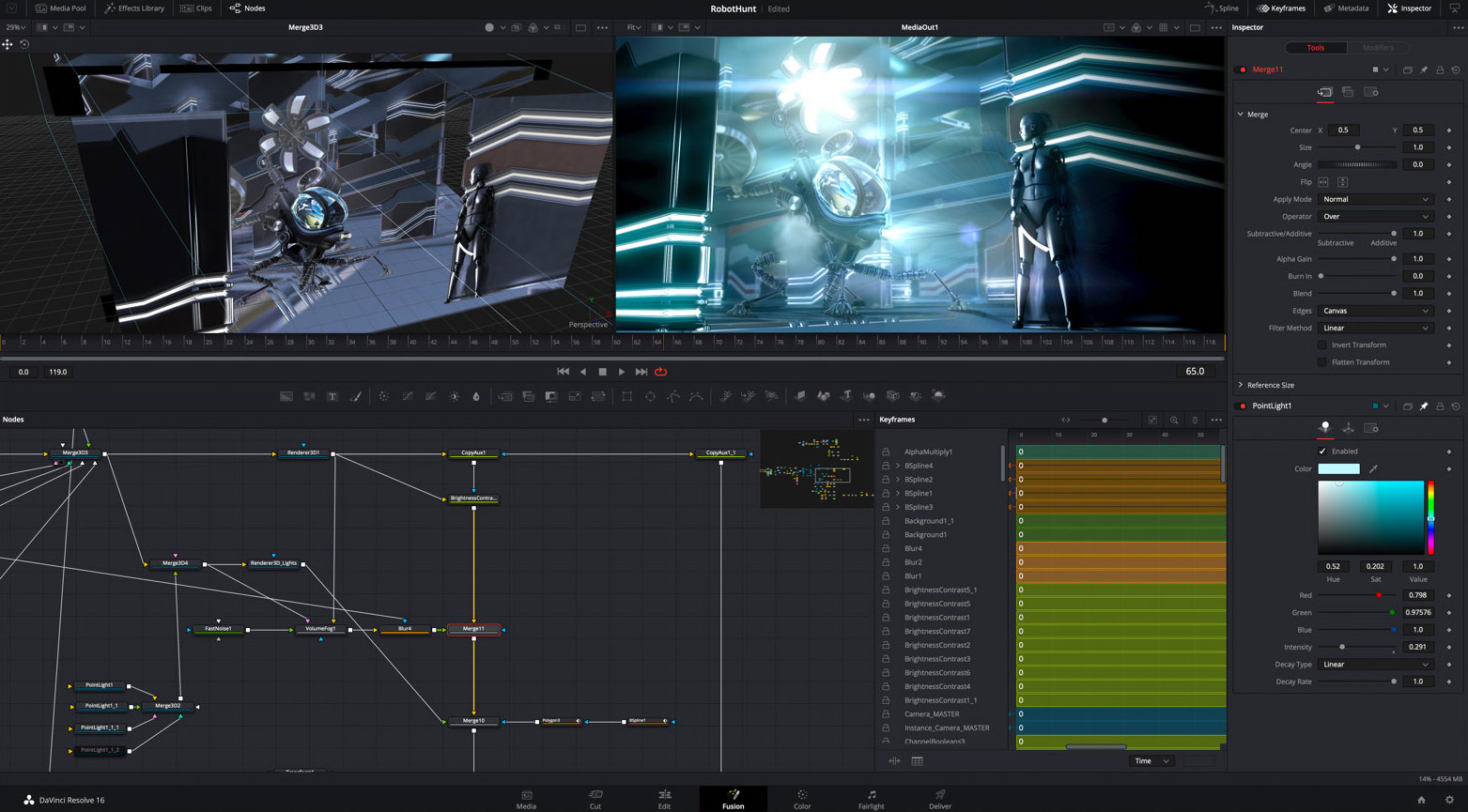
Las dinámicas de trabajo colaborativas en el módulo Color ofrecen ahora una mayor estabilidad. Además, al activar el modo de pantalla doble, es posible visualizar la principal como una ventana.
Los filtros inteligentes brindan la oportunidad de organizar los archivos basándose en los metadatos, por ejemplo palabras clave o personas, a fin de que la búsqueda sea más rápida.
Grant Petty, director ejecutivo de Blackmagic Design., Estamos muy contentos con esta versión, dado que incluye muchas prestaciones para la posproducción de audio. Todas estas nuevas funciones permiten realizar ajustes de audio complejos en el módulo Fairlight, usando solo un mouse y un teclado. En consecuencia, más usuarios podrán agregar una calidad de sonido profesional a sus proyectos, ya que DaVinci Resolve dispone de una versión gratuita. Es realmente increíble».
La versión 16.2 de DaVinci Resolve puede descargarse en forma gratuita desde el sitio web de Blackmagic Design.
Main features
- Mejoras en la edición en la línea de tiempo del módulo Fairlight.
- Mejoras en la biblioteca de sonidos Blackmagic Fairlight.
- Nueva función de organización automática de efectos y complementos.
- Mejoras en buses y monitorización de sonido inmersivo 3D.
- Optimizaciones en el registro de pistas para la edición de audio en el módulo Fairlight.
- Mejoras al importar y exportar archivos AAF.
- Mejoras al importar proyectos antiguos de Fairlight.
- Diversas optimizaciones en la mezcla de audio y filtros FairlightFX.
- Importantes mejoras en el editor de audio de la consola Fairlight.
- Mejores controles de reproducción en el editor de audio de la consola Fairligh.
- Nuevas funciones de edición para cargar y alternar líneas de tiempo.
- Panel multimedia con funciones más rápidas para copiar y pegar.
- Nuevas prestaciones de etalonaje, como filtros inteligentes.
- Mejor compatibilidad con formatos de archivos nuevos.
Did you like this article?
Subscribe to our NEWSLETTER and you won't miss anything.
Related articles
 Blackmagic updates DaVinci Resolve Studio with Apple Immersive format in mind
 Blackmagic updates DaVinci Resolve to version 19.1: more effects in Fusion, custom curves...
 Blackmagic actualiza ATEM Constellation 8K (9.3.3.), DaVinci Resolve (18.6.6) y Cloud Store (1.2)
 Option Media apuesta por las herramientas Fairlight de DaVinci Resolve Studio
 ‘1 For All’ confía en las cámaras Blackmagic Design y DaVinci Resolve
 ‘Gaey Wa’r’, etalonada con DaVinci Resolve Studio de Blackmagic Design
 Blackmagic Design updates DaVinci Resolve to version 17.3
 ‘Chaogtu with Sarula’, edited with DaVinci Resolve by Blackmagic Design
 Blackmagic Design lanza DaVinci Resolve Speed Editor
 Blackmagic Design introduces more than thirty new functions in DaVinci Resolve 15.2
 Blackmagic Design launches DaVinci Resolve 15 with powerful collaborative tools
 Blackmagic Design announces availability of DaVinci Resolve 14
 Blackmagic Design announces the release of DaVinci Resolve 10
 Blackmagic actualiza DaVinci Resolve para dar soporte a las nuevas pantallas Retina